
FreshBooks Review 2026: Is It Worth It for Your Business?
8
minute read
23
sections
October 8, 2026
last updated
Ahmed Raza
reviewed by

If your business runs on clients, invoices, projects, and billable time, FreshBooks is one of the first accounting platforms I’d look at. It feels different from software built mainly around inventory or complicated finance operations.
That focus is its strength. It can also be a limit if your business gets more complicated.
So in this FreshBooks review, I’ll cover the practical stuff: who it suits, who should probably skip it, what it does well, how the pricing works, and when I’d go with Xero or QuickBooks instead.
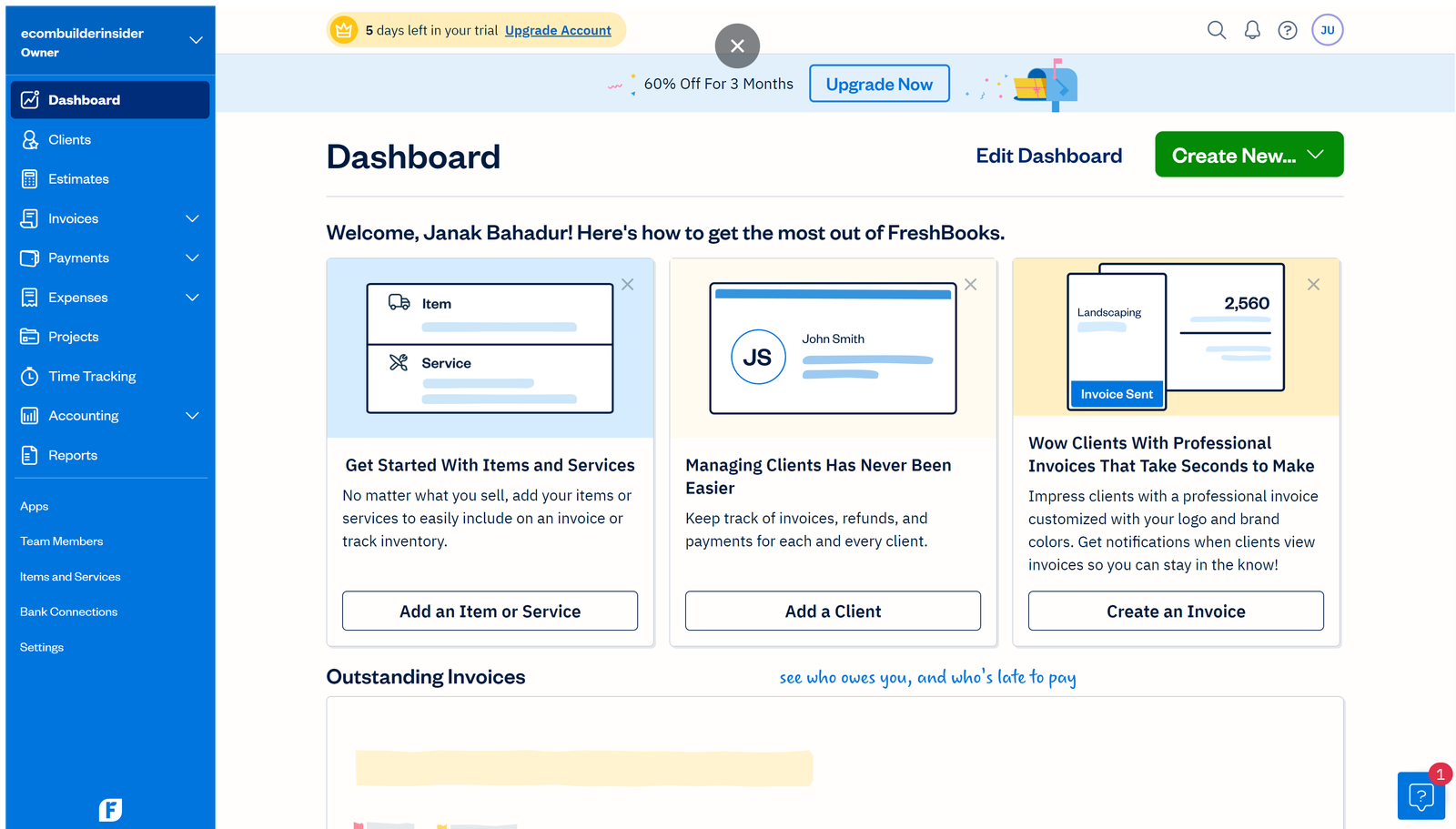
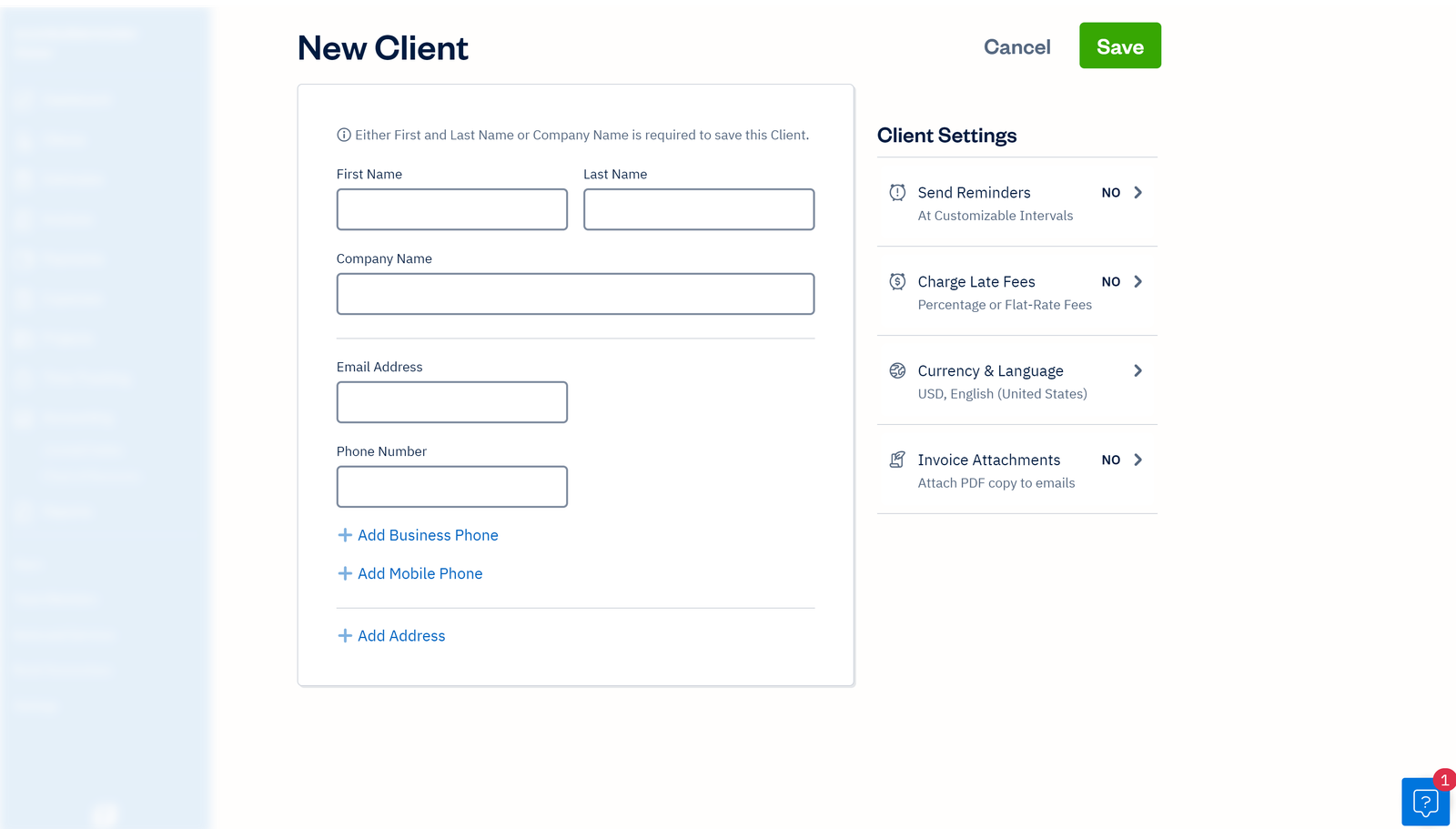
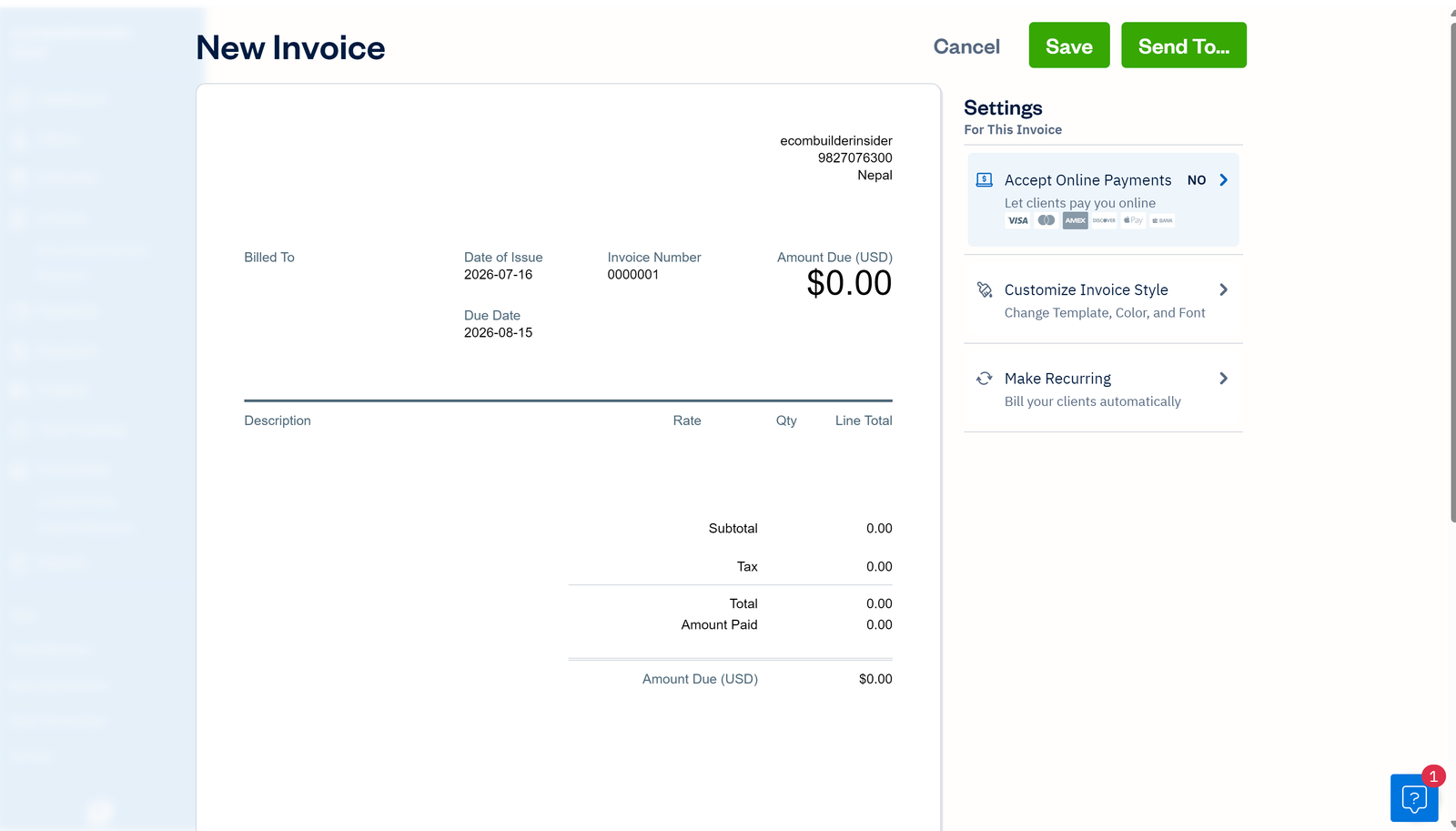
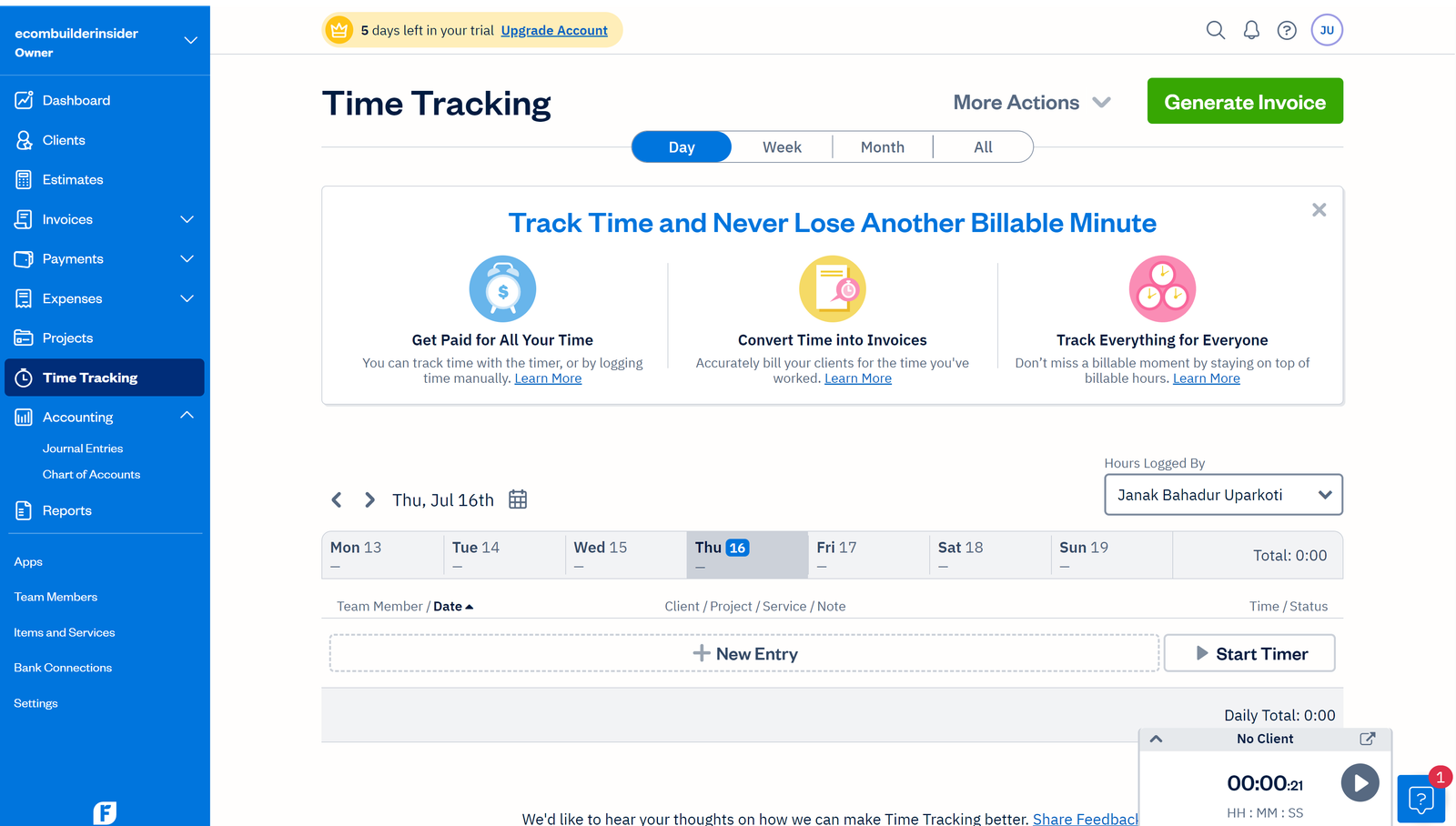
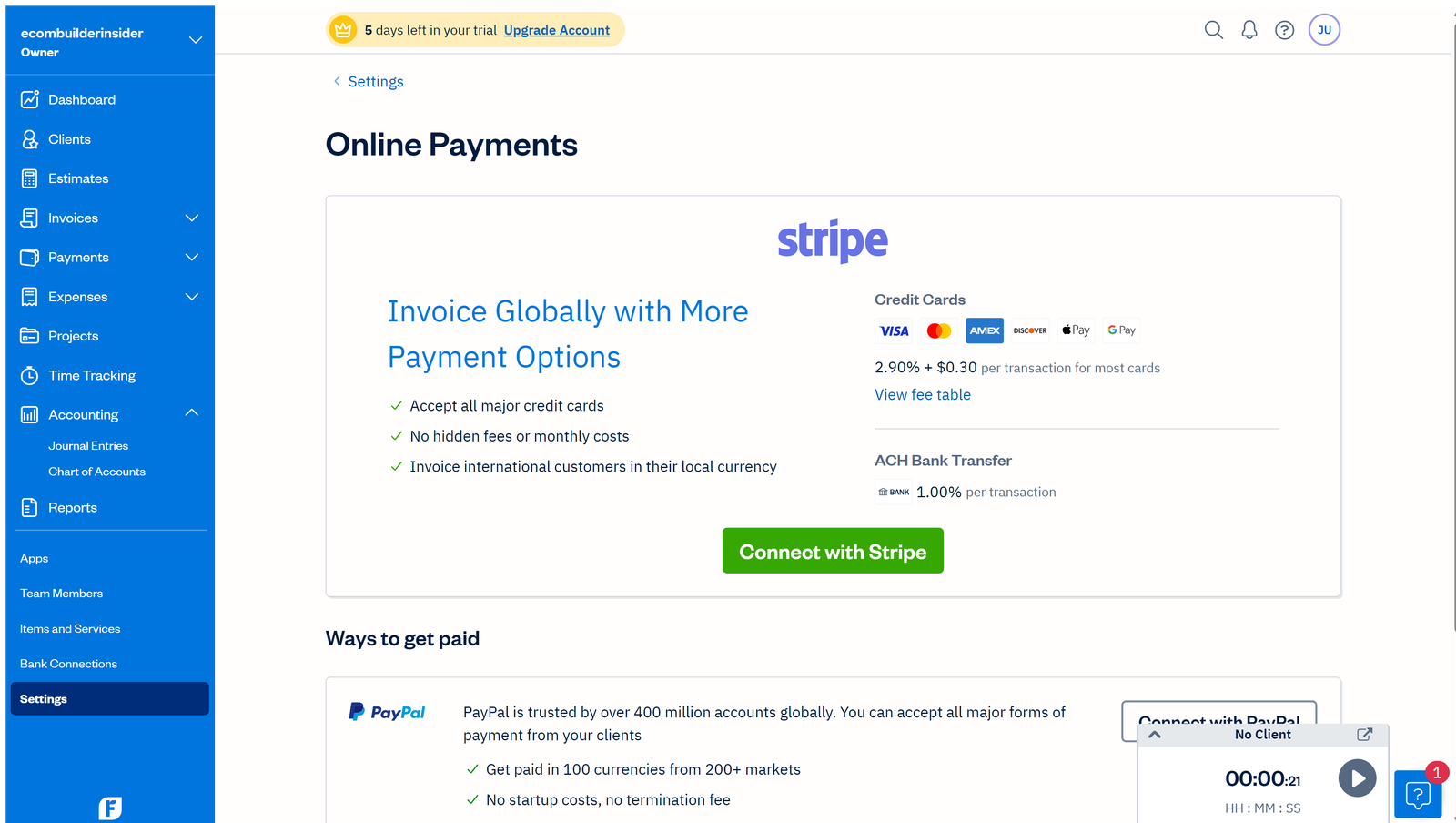
How this was tested: I opened a FreshBooks trial account and went through the dashboard, invoicing, client setup, and time tracking. The screenshots and screen recordings below come from those accounts, captured in August 2026.
FreshBooks at a glance
| Area | My take |
|---|---|
| Best for | Freelancers and service businesses |
| Invoicing | One of its strongest areas |
| Time tracking | Useful for billable work |
| Projects | Good fit for service projects |
| Expenses | Good for small-business bookkeeping |
| Inventory | Not the main reason to choose FreshBooks |
| Growing businesses | Can work, but compare broader platforms as complexity increases |
What is FreshBooks?
FreshBooks is cloud accounting software, built mostly for freelancers and service businesses.
It puts accounting next to the everyday client work: invoicing, time tracking, expenses, payments, and projects.
That mix is the main reason people pick it.
Who is FreshBooks best for?
FreshBooks suits freelancers, consultants, agencies, designers, developers, coaches, writers, photographers, and anyone else who bills clients for services.
If most of your day goes into delivering client work rather than managing stock, give FreshBooks a proper look.
The workflow follows what actually makes money for you: doing the work, billing for it, collecting the payment, and recording the costs.
Who should probably look elsewhere?
If you run an inventory-heavy ecommerce store, a manufacturing operation, or a business with several legal entities, compare broader accounting platforms first.
Xero, QuickBooks, or a more specialised finance tool might give you a better foundation, depending on how complicated things get.
That doesn’t mean FreshBooks can’t grow with you. It means the shape of your business matters.
FreshBooks invoicing
Invoicing is where FreshBooks really stands out.
You can create invoices, send them to clients, keep an eye on outstanding balances, and handle payment follow-up from the same place.
For a freelancer, that matters. An invoice isn’t just an accounting record. It’s how your work turns into cash.
A good invoicing setup won’t make clients pay faster. But it can stop you being the reason an invoice is late.
Time tracking and projects
If you charge by the hour, time tracking matters a lot.
FreshBooks connects recorded time to clients and projects. That fits consultants and other professionals who bill by the hour.
Fixed-price projects benefit too. If a $2,000 project takes 40 hours, that’s a very different job from one that takes 100 hours.
Knowing that number helps you price the next project properly.
Expense tracking
FreshBooks also keeps your business expenses in one place.
For a small business, that can mean software subscriptions, travel, equipment, advertising, professional services, and everyday running costs.
Keep those records up to date and monthly reporting and tax time get a lot easier.
Bank reconciliation
Connecting your bank account cuts down on manual data entry.
But bank feeds don’t replace reconciliation. You still need to review transactions, categorise them correctly, spot transfers, and check that the closing balance matches the bank statement.
That’s the part of bookkeeping software that never fully goes away.
FreshBooks reporting
FreshBooks gives you reports on revenue, expenses, profit, and what clients still owe you.
The question isn’t how many reports there are. It’s whether you can quickly answer the things that matter.
How much did I earn? Who still owes me money? What did I spend? Was this project profitable? Have I got enough cash for the next few months?
If your reporting needs go deeper than that, compare FreshBooks with Xero and QuickBooks before you commit.
FreshBooks pricing
FreshBooks pricing changes by country, billing period, plan, promotions, and the current product line-up.
Plans generally offer more as you need more clients and advanced features.
Budget for the regular price, not just the introductory discount. It’s an easy trap to fall into.
Also count payment processing, extra users, and any add-on services you’ll need alongside the base subscription.
Is FreshBooks expensive?
That depends on what you compare it with.
If FreshBooks replaces separate tools for invoicing, time tracking, expenses, and bookkeeping, a freelancer might find it good value.
If you still need several outside tools for inventory or other operations, it can feel expensive.
Price only means something next to what the software replaces.
FreshBooks vs Xero

FreshBooks is the more natural pick when client billing and billable work make up most of the business.
Xero is more attractive if you want a broader accounting platform, a large ecosystem of connected apps, and more room for complex workflows.
For ecommerce sellers, I’d lean towards Xero more often, because sales-channel and inventory accounting can get important quickly.
FreshBooks vs QuickBooks
QuickBooks is broader and has a huge small-business ecosystem.
FreshBooks can still win for a service business, because client and project workflows sit at the centre of the product.
If your accountant already works in QuickBooks, that may settle it.
FreshBooks for agencies
Agencies can be a strong fit. They often juggle several clients, projects, billable time, retainers, and recurring invoices.
Make sure the plan covers the number of clients and users you actually have.
As an agency grows, compare FreshBooks with broader platforms before the accounting gets messy.
FreshBooks for consultants
Consultants are another natural audience.
You might bill by the hour, by project, or on a retainer. FreshBooks handles those common service-business patterns well.
The simpler your operation, the more the focused workflow works in your favour.
FreshBooks for ecommerce
This is where I’d be careful.
Ecommerce accounting involves more than invoicing customers. You need to keep track of inventory, COGS, marketplace fees, refunds, chargebacks, payment processor settlements, and sales tax.
If those areas are central to your business, compare FreshBooks with Xero, QuickBooks, and ecommerce-focused integrations before you choose.
What I like about FreshBooks
- A strong focus on client invoicing.
- Useful time tracking for billable work.
- Project workflows that make sense for service businesses.
- Expense tracking that suits freelancers.
- Cloud access that makes collaboration practical.
- You don’t have to become an accounting expert to handle the basics.
Where I’d be careful
- Client limits can push you onto a higher plan.
- Extra users and payment services can change the total cost.
- Inventory-heavy businesses may need another platform.
- Advanced financial needs deserve a broader comparison.
- Promotional prices aren’t the same as what you’ll pay long term.
FreshBooks security and backups
FreshBooks is cloud software, so your accounting data lives in the provider’s online environment, not only on your computer.
That makes remote access easy. You should still use strong account security, understand the recovery options, and keep your own records and exports.
Is FreshBooks easy to use?
For its target audience, yes, it’s fairly approachable.
A freelancer usually just wants to send an invoice without learning accounting jargon first. FreshBooks puts most of those everyday tasks front and centre.
As your accounting gets more sophisticated, the learning curve goes up. That’s true of almost every serious accounting platform.
Should your accountant use FreshBooks?
Ideally, your accountant or bookkeeper should be comfortable with whichever platform you choose.
If they already know FreshBooks, that helps. If they prefer Xero or QuickBooks, ask whether the preference is about your workflow or just habit.
The best setup is the one where you and your accounting professional can both work efficiently.
My practical FreshBooks verdict
FreshBooks is a strong choice for freelancers and service businesses that care about invoicing, projects, time tracking, and expenses.
It becomes a less obvious choice when inventory, ecommerce, multiple entities, or advanced financial management take centre stage.
If you’re a freelancer or consultant, I’d put FreshBooks on your shortlist without hesitation. If you’re building an ecommerce company, compare Xero and QuickBooks first.
Frequently asked questions
Is FreshBooks good accounting software?
Yes, especially for freelancers and service businesses. Its strengths are client billing, time tracking, projects, expenses, and straightforward accounting.
Is FreshBooks better than QuickBooks?
Neither is better across the board. FreshBooks can suit client and project-based service businesses, while QuickBooks may suit businesses that need broader accounting features.
Is FreshBooks better than Xero?
It depends on your business model. FreshBooks is strong for service billing and projects, while Xero is often the better fit for broader accounting and ecommerce.
Can FreshBooks replace a bookkeeper?
It can simplify bookkeeping for a very small business, but software doesn’t replace accounting judgement. As your business grows more complex, professional bookkeeping help can still be worth it.
Is FreshBooks worth it in 2026?
If you’re a freelancer or service business and you use its core features, it can be worth the subscription. Compare the regular price with your real needs before you pick a plan.
Related reading: FreshBooks for Freelancers 2026: Is It a Good Fit?
Official resource: Freshbooks official website
Related guides: FreshBooks Resource Center · Accounting Software Resource Center
How we review software: See our accounting software testing methodology to see how we approach pricing, workflows, comparisons, and first-hand evidence.



