
Xero vs QuickBooks Online 2026: Which Is Better?
14
minute read
21
sections
October 16, 2026
last updated
Ahmed Raza
reviewed by

How this comparison was tested: I opened trial accounts in both Xero and QuickBooks Online and worked through the same core tasks in each: dashboard setup, invoicing, bank reconciliation, and reporting. Screenshots and screen recordings below are from those accounts, captured in August 2026.
So, Xero vs QuickBooks Online is one of those comparisons where the answer depends less on the longest feature list and more on how you actually run your books. A freelancer, an ecommerce seller, and a growing company can look at the same two platforms and reasonably choose different winners.
I’ve written this comparison from an accounting and bookkeeping point of view. I focus on what affects your day-to-day work: pricing, bank reconciliation, invoicing, reporting, inventory, users, integrations, international use, and how much complexity you really need.
My short answer: Xero is the stronger fit when unlimited users, a clean workflow, and straightforward collaboration matter most. QuickBooks Online becomes more attractive when you need its particular reporting, inventory, payroll, or US-focused ecosystem.
One warning before you compare prices: both companies change promotions and plan details. The prices below are current US pricing checked against the vendors’ official pages. They aren’t a permanent promise of what you’ll pay everywhere.
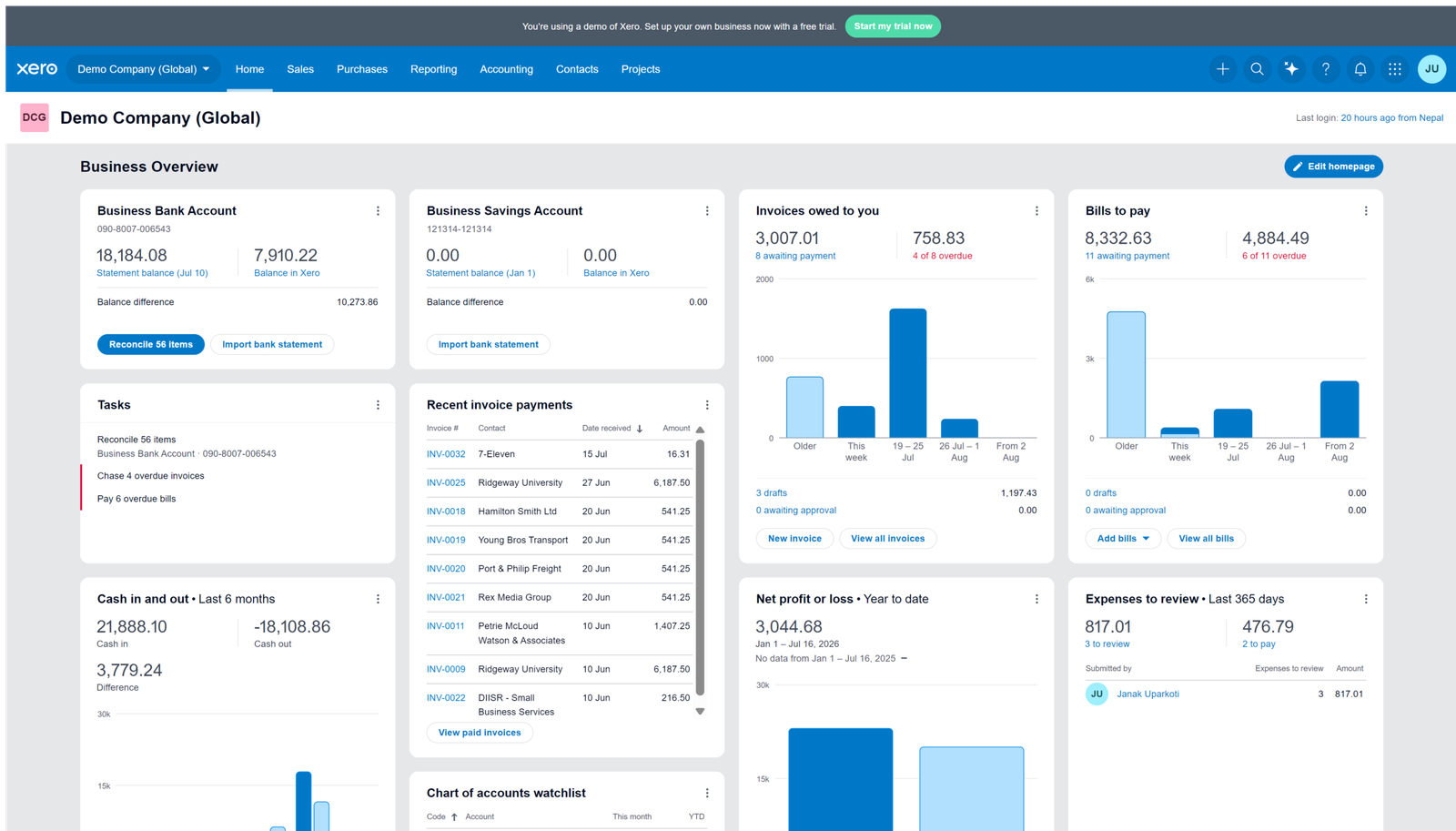
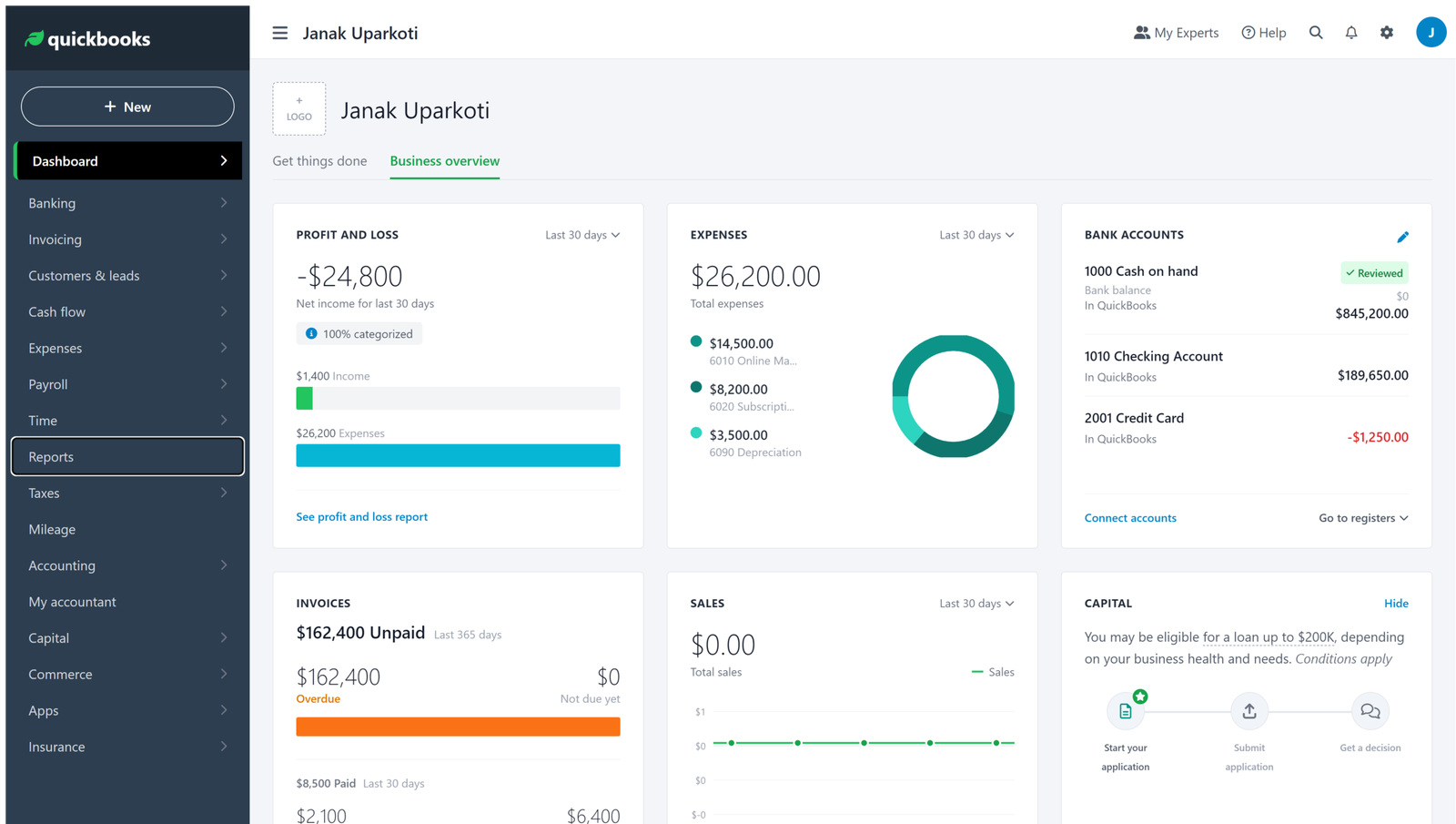
Quick answer: Xero or QuickBooks Online?
| What matters most | Better fit | Why |
|---|---|---|
| Unlimited users | Xero | All Xero plans include unlimited users. |
| US-focused accounting ecosystem | QuickBooks Online | QuickBooks has a large US ecosystem and extensive integrations and accountant support. |
| Simple collaboration | Xero | Unlimited users can make it easier to give access to accountants, bookkeepers and team members. |
| Advanced inventory | QuickBooks Online | Inventory tracking is available on Plus and Advanced, with stock and reorder tools. |
| Multicurrency | Xero | Multicurrency is included with Xero Established in the US. |
| Advanced reporting | QuickBooks Online | Its higher plans offer deeper reporting and customization tools. |
| International businesses | Xero | Xero has a strong international presence and multicurrency support on the appropriate plan. |
That table gives you the direction. The rest of the comparison explains where those differences actually matter.
What are Xero and QuickBooks Online?
Xero and QuickBooks Online are cloud accounting platforms. Both handle the core bookkeeping jobs most small businesses need: recording income and expenses, sending invoices, connecting bank accounts, reconciling transactions, and producing financial reports.
The bigger difference is how each one approaches the accounting workflow. Xero puts a lot of weight on collaboration and a consistent cloud experience. QuickBooks Online offers a broad feature set and a particularly strong position in the US market.
For you as a business owner, that means not choosing just because one product has more features. More features can help, but they can also make everyday work harder if you don’t need them.
Xero vs QuickBooks pricing in 2026
This is where older comparison articles often mislead. Introductory offers can make two products look far cheaper than their normal subscription prices, and promotions can change without much warning.
For this comparison, I’m using current US list pricing and keeping the introductory offer separate from the regular monthly price.
Xero pricing
At the time of this review, Xero’s US plans are Early at $27/month, Growing at $59/month, and Established at $97/month after the introductory period. Xero is currently advertising 80% off the base subscription for the first three months for eligible new US customers. Add-ons, usage charges, and payment fees can cost extra.
| Xero plan | Regular US price | Useful for |
|---|---|---|
| Early | $27/month | Very small businesses with limited invoicing and bills. |
| Growing | $59/month | Businesses that need unlimited invoices and bills plus more automation. |
| Established | $97/month | Businesses needing multicurrency, projects, expenses and deeper tools. |
Xero’s Early plan has limits that matter. It includes 20 invoices and five bills, so the headline price isn’t necessarily the one to compare if your business processes a lot of transactions.
All Xero plans include unlimited users, which is one of the biggest differences in this comparison.
QuickBooks Online pricing
QuickBooks Online’s current US pricing page lists Simple Start at $38/month, Essentials at $85/month, Plus at $140/month, and Advanced at $340/month before the currently advertised introductory discount. The vendor is currently advertising 50% off for three months on eligible plans.
| QuickBooks plan | Regular US price | Useful for |
|---|---|---|
| Simple Start | $38/month | One-user businesses needing core bookkeeping and invoicing. |
| Essentials | $85/month | Businesses needing bills, time tracking and additional users. |
| Plus | $140/month | Businesses that need inventory and project-related features. |
| Advanced | $340/month | Businesses needing more advanced reporting, automation and controls. |
QuickBooks has also announced pricing changes for some plans, taking effect for renewals from August 1, 2026. So don’t copy an old QuickBooks price from another comparison and assume it’s still current.
Pricing winner: Xero is often the more attractive option when several people need access to the books. But the cheapest monthly subscription isn’t automatically the cheapest accounting setup. Compare the plan limits and any add-ons your business actually needs.
Which is better for bank reconciliation?
For a bookkeeper or accountant, bank reconciliation matters more than a flashy dashboard. If the reconciliation workflow feels awkward, you’ll notice it every week.
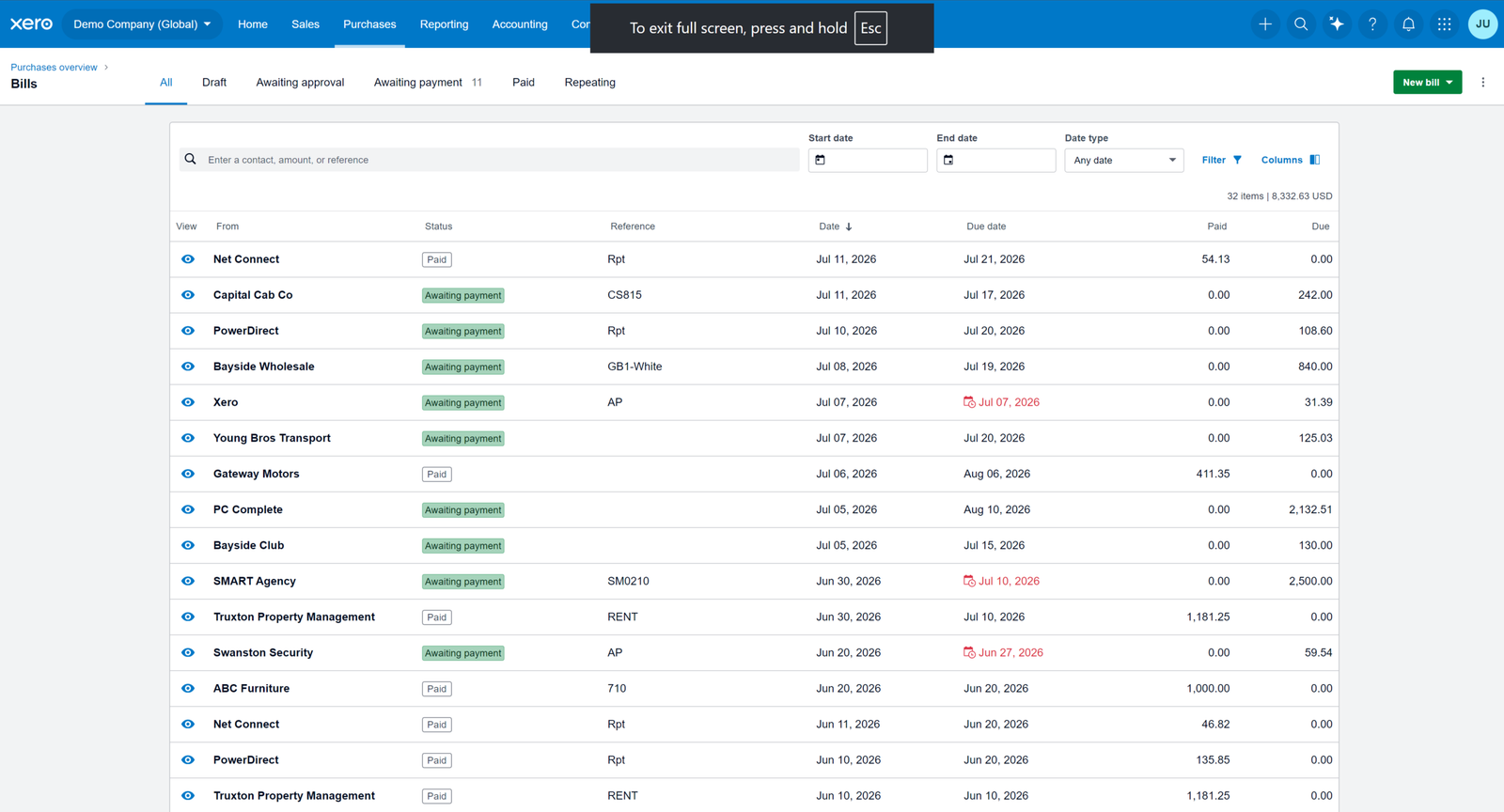
Xero connects your bank accounts and imports transactions so you can review and reconcile them against your records. Its matching and suggested categorisation tools can cut down on repetitive data entry, although you still need to review each transaction rather than accepting suggestions blindly.
QuickBooks Online also supports bank connections, transaction matching, and reconciliation. It’s a mature workflow with plenty of accounting controls, particularly if you already work within the wider QuickBooks ecosystem.
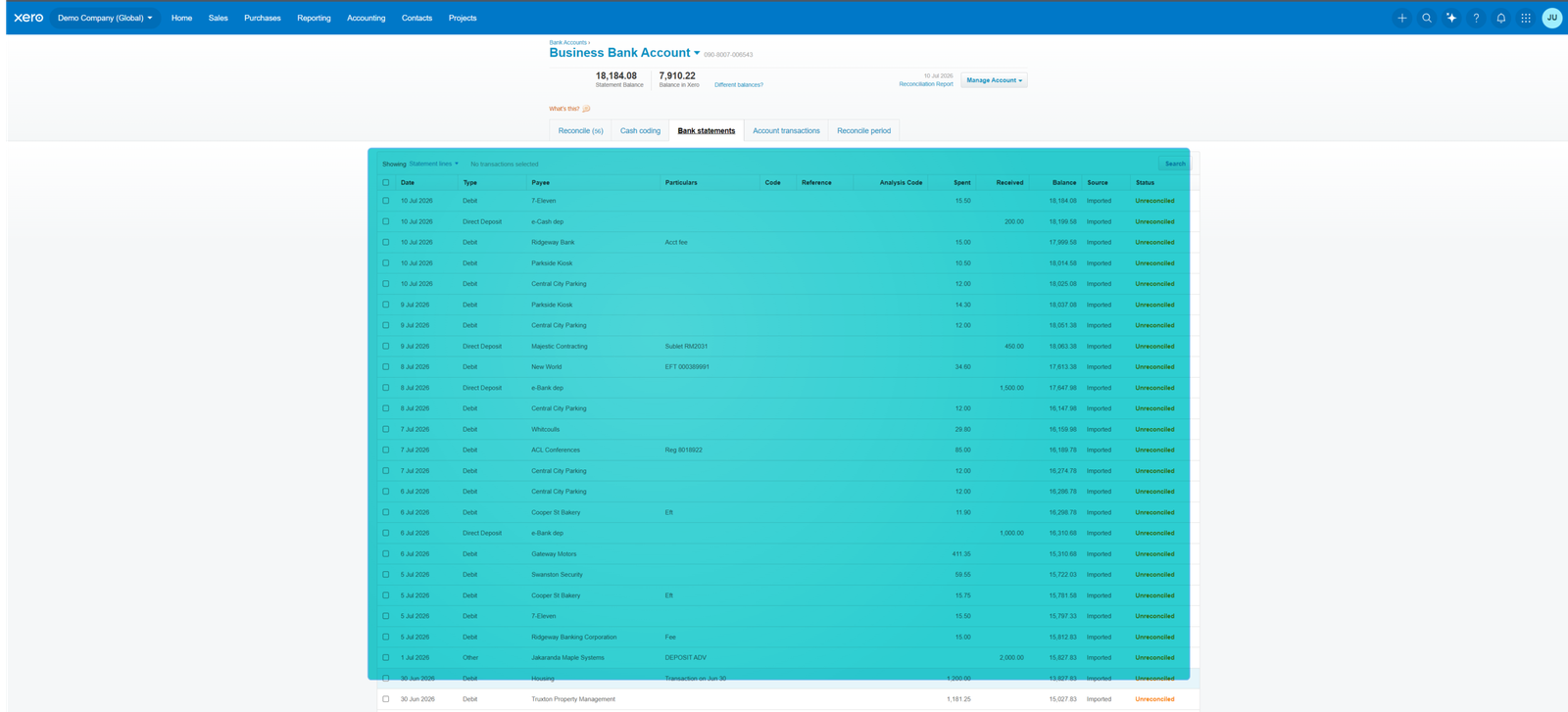
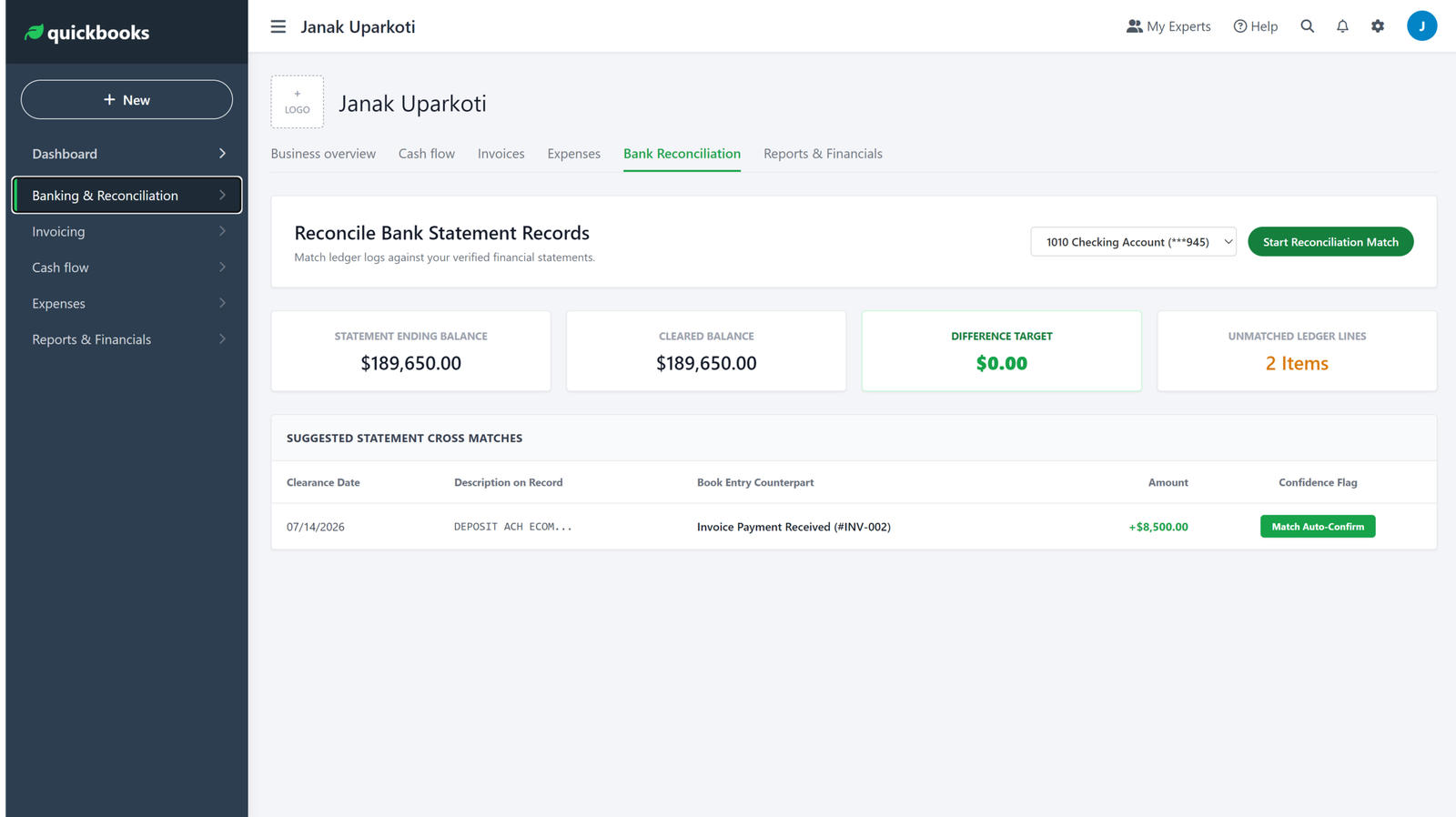
My take: both are capable here. I wouldn’t choose between them on bank feeds alone. I’d choose based on the rest of your workflow and the banks, payment processors, and apps your business already uses.
Invoicing and getting paid
Both platforms can create professional invoices, track outstanding balances, and connect online payment options. That makes either one suitable for service businesses, agencies, consultants, and many ecommerce-related businesses.
Xero’s invoicing is straightforward, and its plans make collaboration easier because user limits don’t become another cost to manage. Xero also supports online invoice payments, although payment-provider fees still apply.
QuickBooks Online has strong invoicing too, with extra payment and customer-management tools available through the Intuit ecosystem.
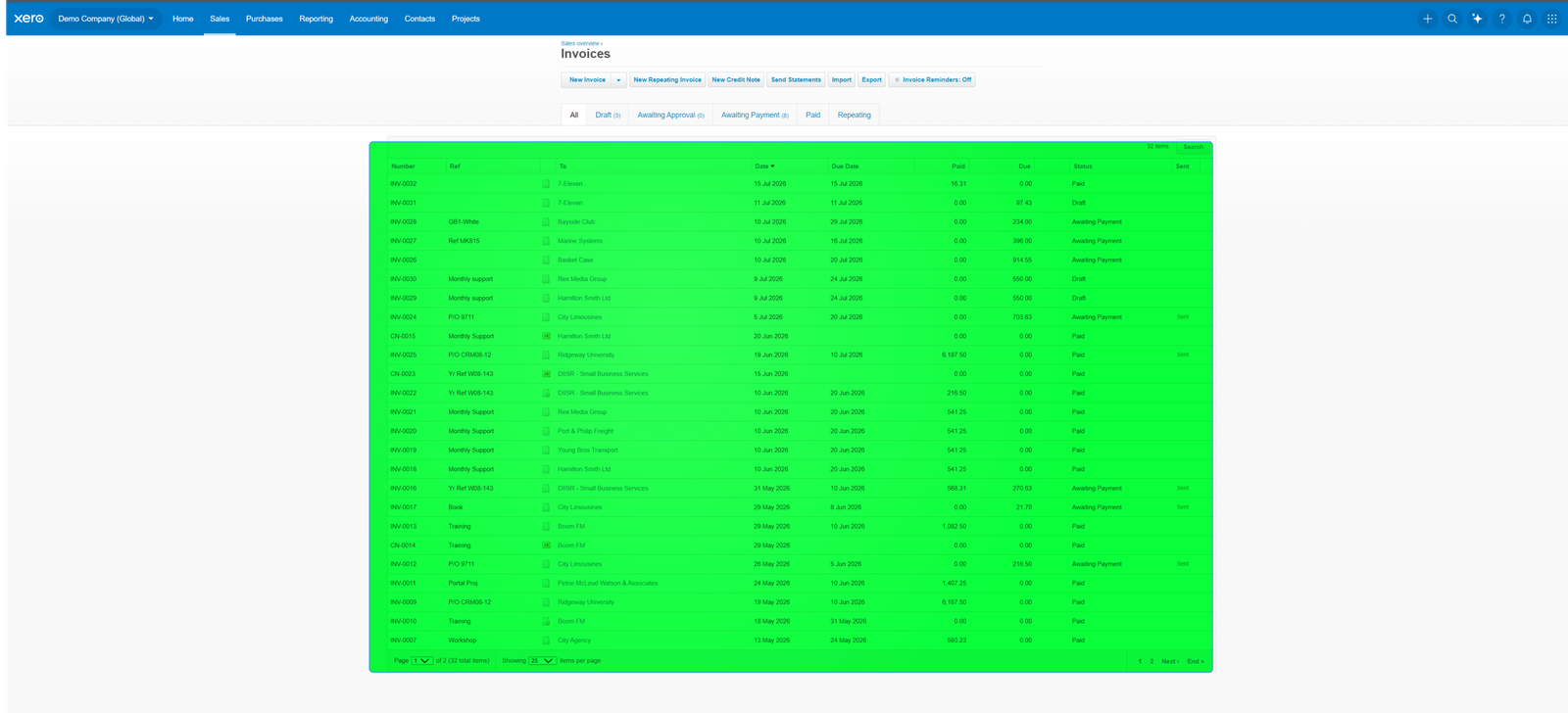
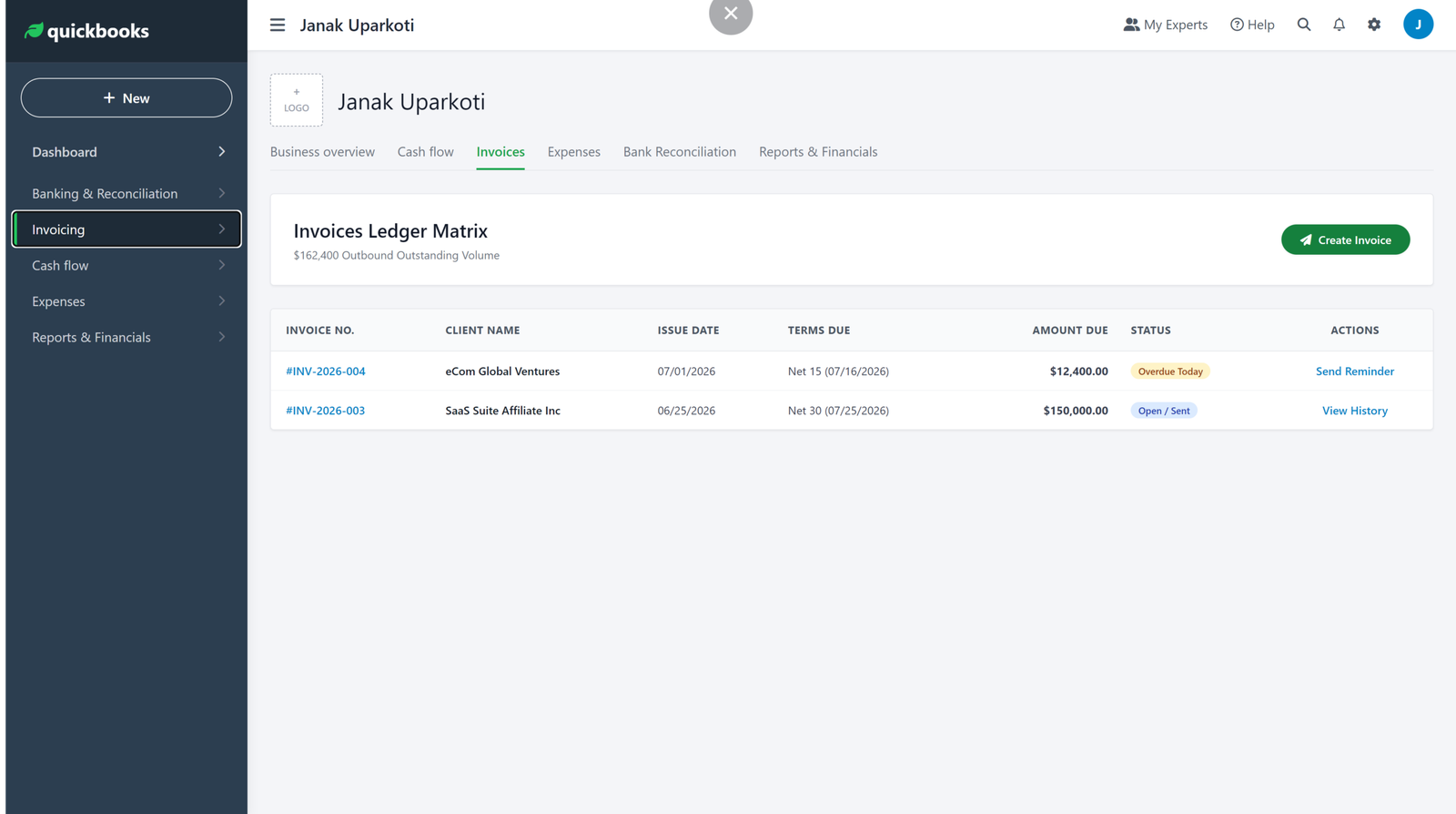
If you only send a handful of invoices a month, this probably shouldn’t decide the purchase. If invoicing is central to your business, test the whole workflow: create an invoice, send it, record the payment, reconcile the bank transaction, and check the accounts receivable report.
Reporting: where QuickBooks has an edge
Both platforms provide the financial statements a small business normally needs, including profit and loss and balance sheet reporting.
The gap shows up when you want deeper reporting, custom views, or more specialised analysis. QuickBooks Online has a broad reporting system, with more reports and customisation on higher plans.
Xero’s reporting is generally easier to approach. But if your reporting needs are demanding, check the exact reports available on your chosen plan before you sign up.
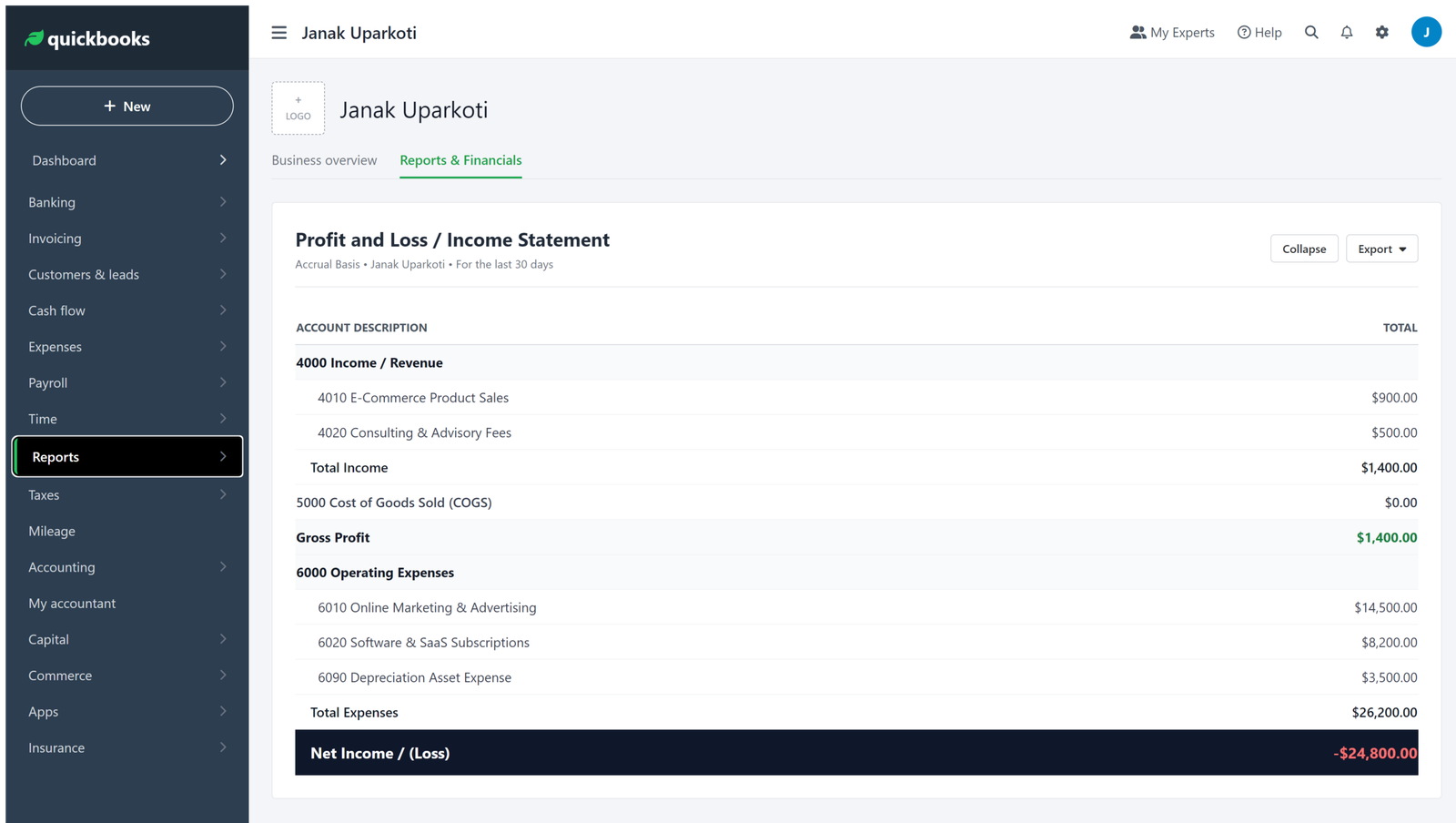
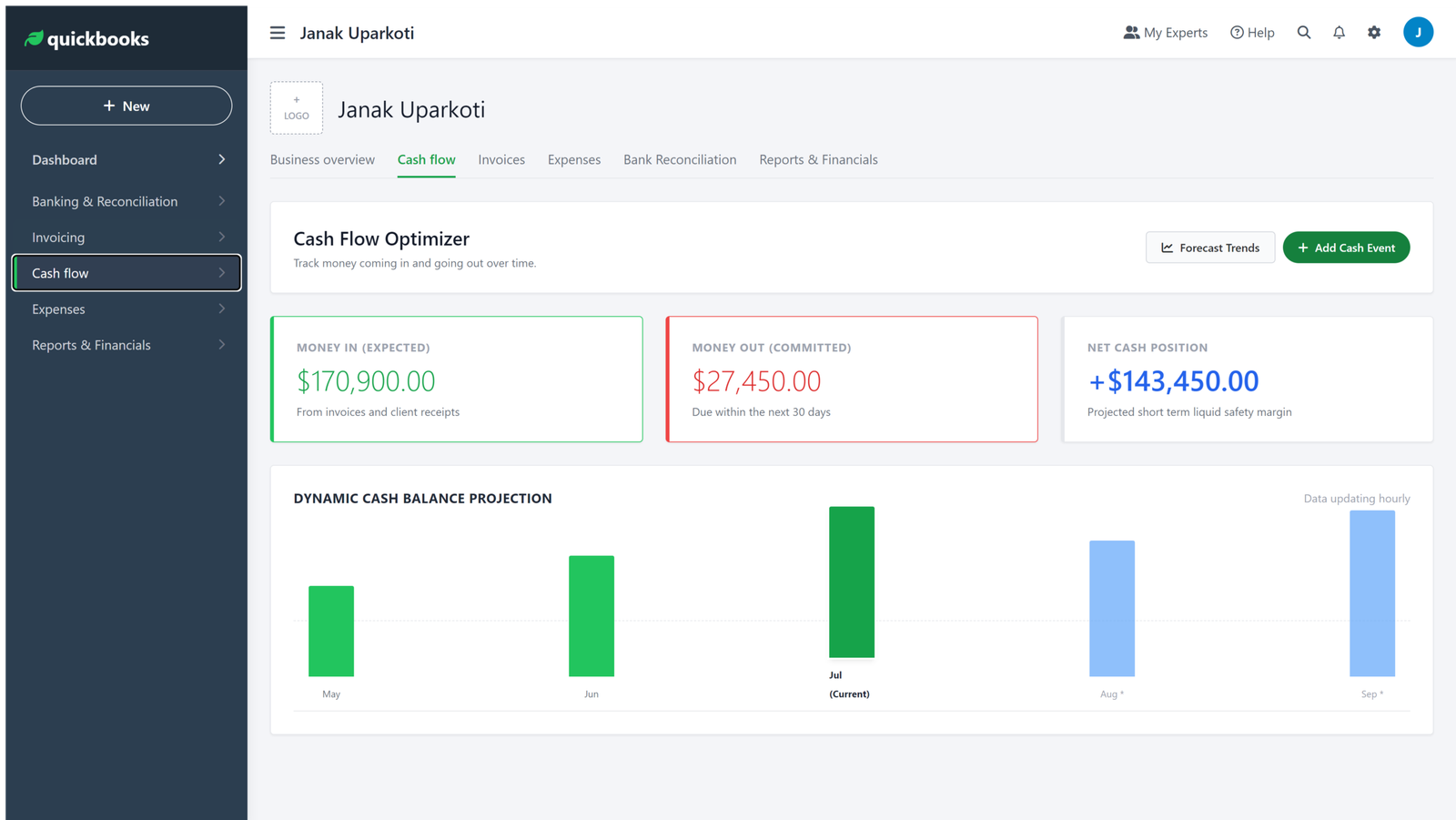
Reporting winner: QuickBooks Online, if advanced reporting is a major requirement. Xero is more than capable for many small businesses that mainly need clean financial statements and practical management reports.
Inventory: don’t compare the wrong plans
This is one area where an old Xero vs QuickBooks article can give you the wrong impression.
QuickBooks Online includes inventory tracking on Plus and Advanced. Intuit’s current documentation says those plans can track quantities on hand, set reorder alerts, and report on inventory performance.
Xero also provides inventory management, but the exact capabilities depend on the plan and any optional products. Xero’s US pricing page currently lists Inventory Plus as an optional add-on on its higher plans.
If you sell products online, don’t stop at the word “inventory.” Ask a more useful question: can this setup handle my actual sales channels, stock valuation, cost of goods sold, purchase orders, returns, and payment feeds?
For a Shopify, Amazon, or multichannel seller, the accounting software is only one part of the system. Your ecommerce connector and inventory workflow can matter just as much.
Users and collaboration
This is probably Xero’s clearest advantage for a growing team.
Xero says all of its plans include unlimited users. That’s surprisingly useful when the people involved in bookkeeping grow from one owner to an accountant, a bookkeeper, a finance employee, and department managers.
QuickBooks Online uses plan-based user limits. Current US pricing lists one user for Simple Start, three for Essentials, five for Plus, and more for Advanced, with accountant access handled separately according to the plan.
Think about who needs access before you buy. If only the owner and an accountant will ever use the system, the difference may not matter much. If ten people need access, it becomes a pricing and workflow issue very quickly.
Which one is easier to learn?
I wouldn’t call either platform difficult, but they have different personalities.
Xero tends to feel clean and structured, which helps when you’re learning basic bookkeeping tasks like invoicing, bills, and bank reconciliation.
QuickBooks Online exposes a very large range of accounting and business features. That’s useful when you need them, but a new owner can feel there’s a lot to learn.
If you’re completely new to accounting software, I’d give Xero a slight edge for simplicity. If you’re moving into a more feature-heavy accounting workflow, QuickBooks can make more sense.
International businesses and multicurrency
Where you live matters here.
Xero’s Established plan in the US includes multiple currencies. That makes Xero worth a closer look if you invoice customers or pay suppliers in different currencies.
QuickBooks Online also supports multicurrency, but plan availability and features vary by country. Don’t assume a feature available on the US version works the same way in the UK, Canada, Australia, or another market.
The same warning applies to sales tax, VAT, GST, payroll, and local banking integrations. Accounting software isn’t a one-size-fits-all product across countries.
Integrations and ecommerce
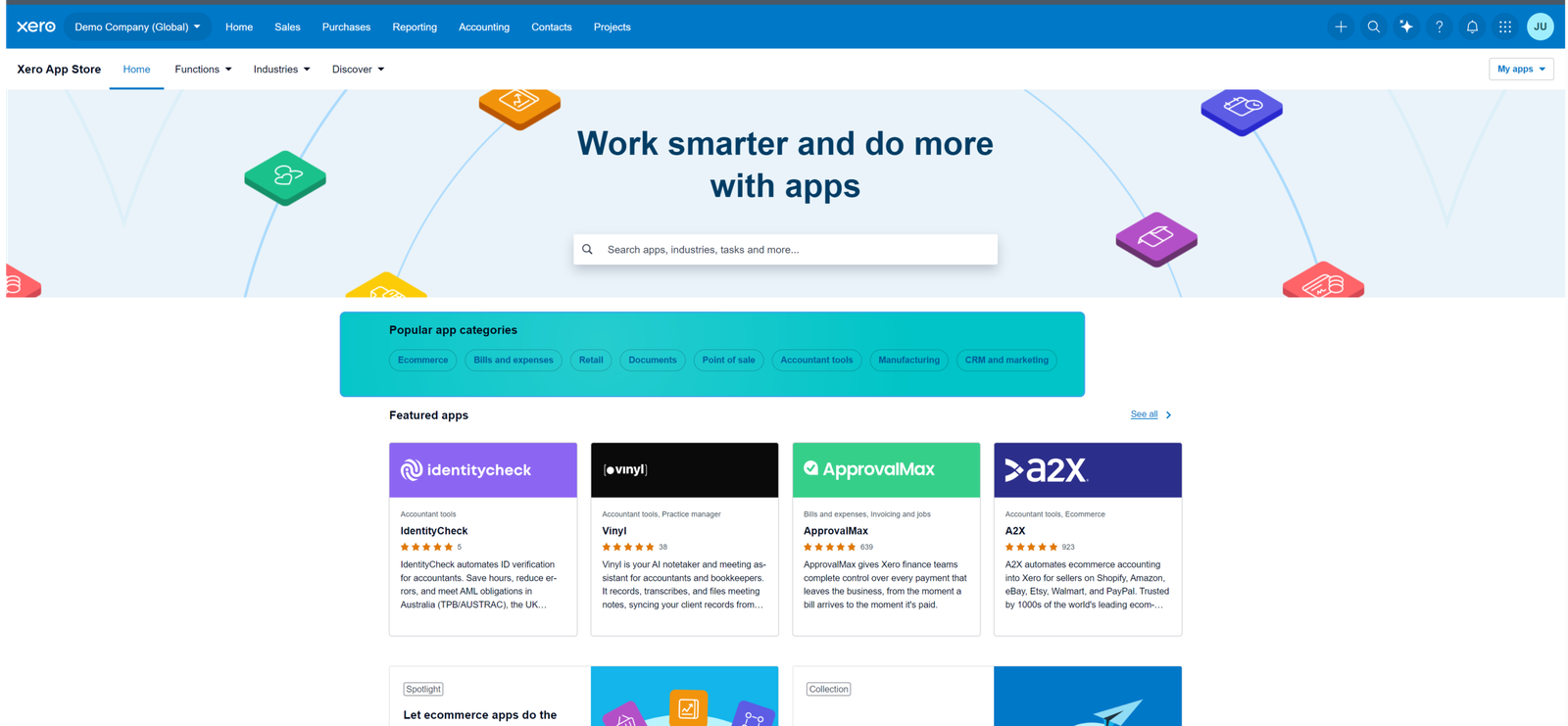
Both ecosystems have large app marketplaces. The question isn’t who can quote the bigger number.
Check whether the exact apps you use connect reliably to the exact accounting version and country you operate in.
For ecommerce businesses, check your payment processor, ecommerce platform, inventory system, payroll provider, receipt-capture tool, and tax software before you choose either platform.
This matters most if you use Shopify, Amazon, Etsy, or several sales channels. A connector that creates clean sales, fee, refund, and tax entries can save far more time than a small difference in the accounting subscription.
What about payroll?
Payroll is another feature where location matters.
QuickBooks offers payroll products in supported markets, while Xero commonly relies on payroll integrations depending on the country and setup. Availability, pricing, and compliance features can change, so don’t choose based on a general claim that one platform “has payroll” and the other doesn’t.
If payroll matters to you, check the payroll product for your country and work out its cost separately from the accounting subscription.
Where Xero makes more sense
I’d lean toward Xero if any of these describe your business:
- You want unlimited users without paying a per-user license fee.
- You work closely with an accountant or bookkeeper.
- You want a relatively clean accounting interface.
- You operate across countries and need multicurrency on the appropriate plan.
- You want strong cloud collaboration.
- Your reporting and inventory requirements don’t justify a more feature-heavy setup.
Where QuickBooks Online makes more sense
I’d look harder at QuickBooks Online if:
- Your business already relies heavily on the QuickBooks ecosystem.
- You need specific advanced reporting or customization.
- You need the inventory features included in Plus or Advanced.
- You want a broad US accounting and payroll ecosystem.
- Your accountant or bookkeeper already works mainly in QuickBooks.
- You need a feature that’s native to QuickBooks but would need an extra Xero app or workflow.
Xero vs QuickBooks for ecommerce sellers
For ecommerce, I wouldn’t automatically crown either platform.
The better choice depends on how your sales data reaches the books. A seller with one Shopify store and simple inventory has different needs from a business selling through Shopify, Amazon, and wholesale channels.
Look closely at how the integration handles sales, refunds, discounts, shipping, payment fees, taxes, gift cards, inventory, and settlements. If those entries arrive wrong, you’ll spend your time fixing bookkeeping instead of running the business.
If ecommerce accounting is your main concern, you may also want our guide to QuickBooks alternatives and the site’s accounting software comparisons.
What I would choose for different businesses
Freelancer or consultant
I’d start with Xero if collaboration and straightforward bookkeeping matter. QuickBooks is still a strong option, especially if your accountant already uses it.
Growing service business
Xero is attractive when several people need access to the books. QuickBooks becomes more compelling if you need its deeper reporting or a particular US-based workflow.
Ecommerce business
Compare the accounting software together with your ecommerce connector and inventory system. Don’t choose on accounting features alone.
International business
Xero deserves a close look, because multicurrency and international workflows are a big part of its pitch. Still, verify your country’s tax, banking, and payroll requirements before you commit.
My recommendation: Xero wins, but not for everyone
If I had to pick one for a typical small business without any special requirements, I’d lean toward Xero.
The biggest reason isn’t that Xero has more features. It’s that unlimited users, straightforward collaboration, and a clean accounting workflow make sense for a growing business.
But I wouldn’t switch to Xero just because this article calls it the winner. If your accountant works in QuickBooks, your payroll is already set up, or you rely on QuickBooks-specific reporting and inventory tools, the switching cost may outweigh the benefits.
That’s the part many comparison articles miss: the best accounting software is usually the one that fits your existing financial workflow, not the one with the most impressive feature list.
Try the workflow before you decide
If you’re choosing between Xero and QuickBooks Online, don’t spend your whole trial clicking around the dashboard.
Run a small version of your real bookkeeping process:
- Connect or import a representative bank account.
- Create a few invoices and bills.
- Record expenses and payments.
- Reconcile several bank transactions.
- Run a profit and loss report.
- Check how sales tax or VAT is handled for your country.
- Test the ecommerce or payment integrations you actually need.
- Invite your accountant or bookkeeper if someone else will manage the books.
That exercise will tell you far more than a generic feature checklist.
Frequently asked questions
Is Xero cheaper than QuickBooks Online?
At current US list pricing, Xero starts at $27/month and QuickBooks Online starts at $38/month, before their respective introductory offers. Plan limits differ, though, so compare the plan that actually includes the features your business needs, not just the entry-level prices.
Is Xero better than QuickBooks?
For many small businesses, Xero is the better fit because of unlimited users and a straightforward collaborative workflow. QuickBooks Online can be the better choice when you need specific reporting, inventory, payroll, or US-focused ecosystem features.
Which is better for ecommerce?
Neither wins automatically. The deciding factor is often how well your ecommerce platform, payment processor, inventory system, and accounting software connect. Check how your actual sales, fees, refunds, and taxes will flow into the books.
Can I move from QuickBooks to Xero?
Yes, migration is possible. How much cleanup it takes depends on your existing QuickBooks file, transaction history, integrations, and reporting requirements. Before you switch, plan which data you need to migrate and how opening balances and historical records will be handled.
Which is better for an accountant or bookkeeper?
Both are capable. Xero can be especially convenient when several people need access, because its plans include unlimited users. QuickBooks may be the better choice when your client base, local accounting ecosystem, or preferred workflows already revolve around QuickBooks.
Do Xero and QuickBooks work outside the United States?
Yes, but pricing, tax features, payroll, banking integrations, and available plans vary by country. Always check the local version before you buy.
So, which one should you choose?
Choose Xero if you want unlimited users, strong collaboration, a clean workflow, and good international flexibility.
Choose QuickBooks Online if you need its particular reporting, inventory, payroll, or US ecosystem advantages, and you’re comfortable with its plan-based user limits.
If you’re still unsure, start with the workflow rather than the marketing page. Put a few real transactions through both systems and see which one makes your bookkeeping easier to understand and maintain.
For more comparisons, visit our Xero vs QuickBooks guide, Xero vs Wave comparison, Xero vs Sage comparison, and QuickBooks alternatives guide.
Watch the related video:
Related Accounting Software Guides
- Accounting Software Comparisons
- Xero vs QuickBooks
- Xero vs Wave
- Xero vs Sage
- QuickBooks Alternatives
Official resource: Xero official website
Related guides: QuickBooks Resource Center · Xero Resource Center
Screenshots and screen recordings in this article are from my own Xero and QuickBooks Online trial accounts, captured in August 2026. Software interfaces change over time, so check current screens against your own account before you decide.
How we review software: See our accounting software testing methodology to understand how we approach pricing, workflows, comparisons, and first-hand evidence.



