
Wave Accounting Review 2026: Free Isn’t What It Was
4
minute read
10
sections
October 8, 2026
last updated
Ahmed Raza
reviewed by

So, Wave Accounting is still free in 2026. But the old “everything is free” story doesn’t tell the whole thing. The free Starter plan still works well for freelancers and very small businesses. Features like automatic bank imports and some automation sit in Wave Pro, though.
I went through what Wave offers today, where the free plan still makes sense, and where you might end up paying. Here’s the practical Wave Accounting review I’d want to read before opening an account.
Wave Accounting Review: The Short Version
Wave is a cloud accounting platform aimed mainly at freelancers, contractors, consultants, and small service businesses. The big draw is simple. The Starter plan costs $0 and includes the core bookkeeping and invoicing you need.
The catch is that Wave now has a paid Pro plan. Pro is $19 USD per month or $190 USD per year, and Starter stays free.
Wave Accounting Pricing in 2026
Pricing is fairly simple. There are two plans:
- Starter: $0
- Pro: $19 USD per month or $190 USD per year
The free plan includes unlimited estimates, invoices, bills, and bookkeeping records. You can also invoice from the mobile app and manage customers and cash flow from the dashboard.
Pro adds automatic bank transaction imports, automatic matching and categorization, unlimited receipt capture, automated late-payment reminders, extra users, and other time-saving features.
If pricing is your main worry, read our Best Free Accounting Software guide and Wave vs QuickBooks comparison.
What You Get With the Free Wave Plan
The free plan isn’t a trial with a countdown timer. Wave presents Starter as a free accounting plan, and its core bookkeeping tools are genuinely useful for a small operation.
Invoicing and estimates
Create unlimited invoices and estimates, add your branding, and send them by link or PDF. If your work mostly comes down to sending invoices and recording payments, you get a lot here.
Bookkeeping
You can record income and expenses and pull basic financial reports. So it’s more than an invoicing app. It can handle the basic accounting work of a small service business.
Online payments
Customers can pay your invoices electronically. Payment processing fees apply, so “free accounting software” doesn’t mean every transaction is free.
What Wave Pro Adds
The biggest reason to upgrade is automation.
- Automatic bank transaction imports
- Automatic transaction matching and categorization
- Unlimited digital receipt capture
- Automated late-payment reminders
- Additional users for collaboration
- Additional invoice and messaging features
If you reconcile bank transactions every week, these features can save you real time. If you only send a few invoices a month, Pro is harder to justify.
Is Wave Really Free?
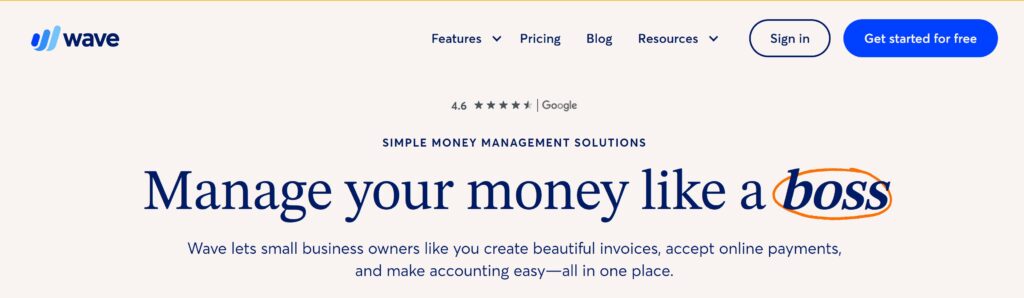
Yes, the core Starter accounting plan is genuinely free. Just keep the accounting subscription separate from optional extras like payment processing, payroll, receipt features, and bookkeeping help.
That matters because you can start at $0 and still pick up transaction or service costs later. Wave’s official pricing page lists payment processing fees and optional add-ons separately from the Starter subscription.
Wave Accounting Pros and Cons
Pros
- Free core accounting plan
- Unlimited invoices and estimates
- Easy-to-understand interface
- Useful for freelancers and micro-businesses
- Cloud-based access
- Optional paid automation instead of forcing every user into a subscription
Cons
- Automatic bank imports require Pro
- Advanced business needs can outgrow Wave
- Payment processing fees still apply
- Free users get fewer support options
- Inventory and advanced accounting workflows are limited compared with larger platforms
Who Should Use Wave Accounting?
Wave suits you if you’re a freelancer, contractor, consultant, or very small service business with straightforward accounting.
It’s especially appealing if you want your monthly software bill at zero and don’t need complex inventory, advanced reporting, or large-team workflows.
Who Should Avoid Wave?
I’d look elsewhere if your business has complex inventory, multiple entities, sophisticated approval workflows, or a growing accounting team. If you rely heavily on integrations, a more established ecosystem may suit you better.
For a wider comparison, check our best Xero alternatives guide or our QuickBooks Online review.
Wave vs Xero vs QuickBooks
Wave wins mainly on price. Xero and QuickBooks usually offer bigger ecosystems and more advanced features, but their core products are paid subscriptions too.
If you’re running a simple service business and want to avoid another monthly bill, Wave is worth a look. If your business is growing fast, picking a more scalable platform now can save you a painful migration later.
My Verdict on Wave Accounting in 2026
Wave is still one of the better choices for a very small business that wants free accounting software. Judging it by the old “everything is free” reputation just isn’t accurate anymore.
The Starter plan is still useful. The real question is whether you need Pro’s automation, or whether you’re happy doing more of the bookkeeping yourself.
If you’re a freelancer with simple books, start with Starter. If automatic bank imports, receipt capture, and collaboration become important, then Pro is the upgrade to consider.
Pricing and features can change, so check Wave’s official pricing page before you subscribe.
Related: FreshBooks Review 2026 · Sage Accounting Review 2026 · Zoho Books Review 2026
Official resource: Wave official website
Related guides: Wave Accounting Resource Center · Accounting Software Resource Center
How we review software: See our accounting software testing methodology to understand how we approach pricing, workflows, comparisons, and first-hand evidence.



