
Best QuickBooks Alternatives for Small Businesses (2026)
6
minute read
11
sections
October 16, 2026
last updated
Ahmed Raza
reviewed by

So, QuickBooks isn’t working for you any more. Maybe the price went up again after the intro discount, maybe you’re paying for users you’d rather not, or maybe it’s just more software than your business needs.
You’re not stuck. There are good alternatives, and switching is a few hours of work, not a disaster. I’m an accountant and I’ve used every product on this list myself, so here’s an honest look at each one, and who it actually suits.

How I compared them
I have accounts in QuickBooks Online, Xero, Zoho Books, FreshBooks and Wave. Prices are US list prices: Xero checked on 16 October 2026, the others on 8 October 2026. Plan limits come from each company’s pricing page. Here’s how I test software.
Affiliate disclosure
Some links on this page are affiliate links. If you sign up through one, I may earn a commission at no extra cost to you. It never decides the recommendation. Read the full disclosure.
The quick answer
- Best overall alternative: Xero, for unlimited users and fast bank reconciliation.
- Best on a budget: Zoho Books, with a real free plan and cheaper paid plans.
- Best for service businesses that bill for time: FreshBooks.
- Best free option: Wave, for solo owners with simple books.
Why people leave QuickBooks
QuickBooks Online is good software. Most people leave for one of these reasons:
- Price after the offer. The intro discount lasts three months. After that, Essentials is $85 a month and Plus is $140.
- Per-user limits. Simple Start has 1 user, Essentials 3, Plus 5. Add a bookkeeper and a partner, and you’re upgrading.
- More than you need. If you mostly send invoices and reconcile one bank account, you’re paying for features you don’t open.
If you need advanced inventory, built-in US payroll from the same company, or your accountant insists on QuickBooks, it may still be the right home. More on that at the end.
QuickBooks vs the alternatives at a glance
| QuickBooks Online | Xero | Zoho Books | FreshBooks | Wave | |
|---|---|---|---|---|---|
| Starting price | $38/mo | $27/mo | Free; paid from $20/mo | $23/mo | Free |
| Typical plan | Essentials $85 | Growing $59 | Professional $50 | Plus $43 | Pro $19 |
| Users | 1 / 3 / 5 / 25 by plan | Unlimited | By plan (3+ on paid) | Owner + $11 per team member | 1 on Starter |
| Inventory | Plus and up | Basic; add-on for more | Professional and up | No | No |
| Multi-currency | Essentials and up | Established ($97) | Paid plans | Check plan | No |
| US payroll | Intuit add-on | Gusto add-on | Zoho Payroll | Gusto add-on | Wave add-on |
| Best for | Growing, accountant-led businesses | Teams, online sellers | Budget, product businesses | Freelancers, agencies | Solo owners |
1. Xero: the best all-round QuickBooks alternative
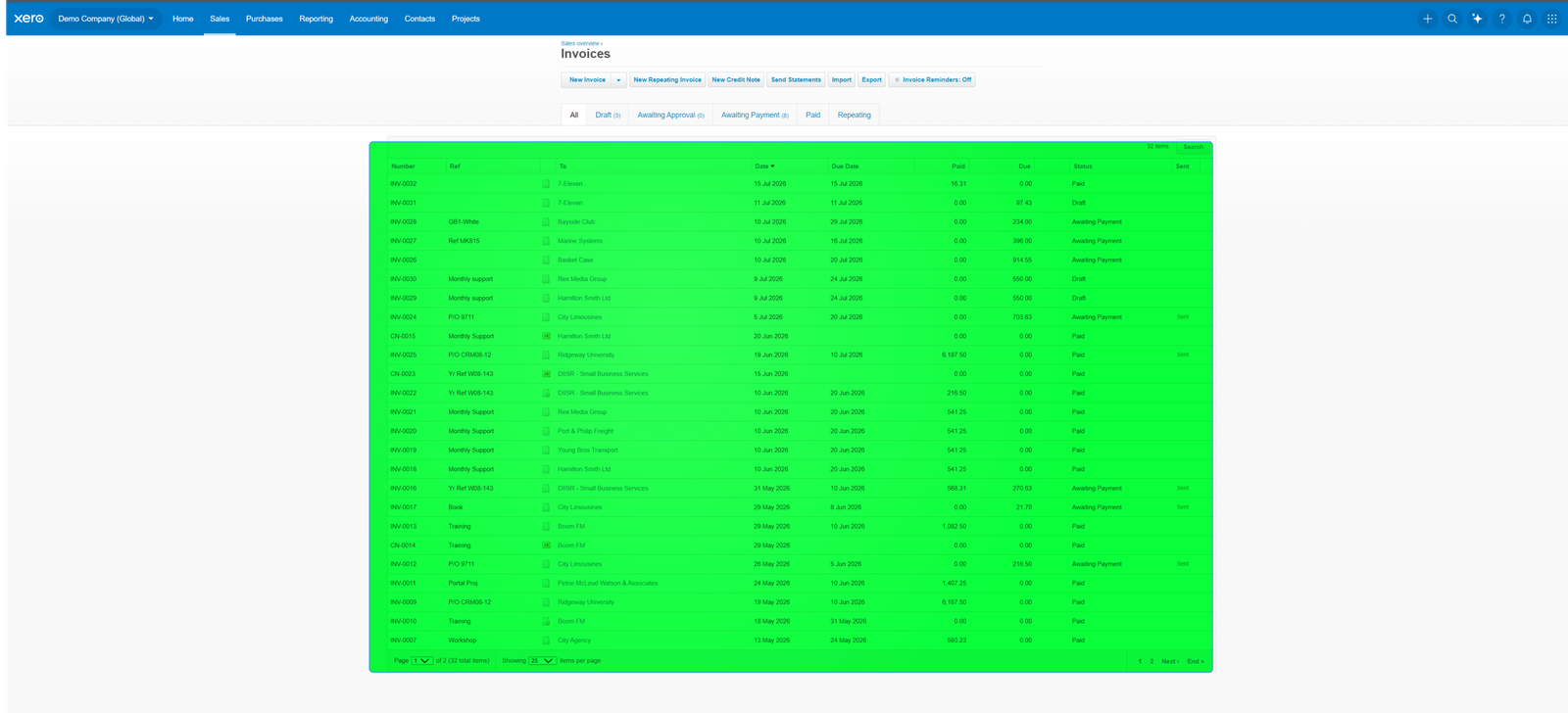
Xero is the alternative I’d point most small businesses to first. The big difference is users: every plan includes unlimited users, so your bookkeeper, accountant and business partner all log in without you paying per seat.
| Plan | First 3 months | Then | Main limits |
|---|---|---|---|
| Early | $5.40/mo | $27/mo | 20 invoices, 5 bills a month |
| Growing | $11.80/mo | $59/mo | Unlimited invoices and bills |
| Established | $19.40/mo | $97/mo | Adds multi-currency, projects, expense claims |
For a three-person team, Xero Growing at $59 against QuickBooks Essentials at $85 saves $312 a year at full price, and it doesn’t cap your users.
Pros
- Unlimited users on every plan.
- Fast, clear bank reconciliation.
- Over 1,000 connected apps, including Shopify and Stripe.
- Accountants outside the US widely know it.
Cons
- US payroll is a separate Gusto add-on ($36 + $6 per person).
- Early’s 20-invoice cap is tight.
- Multi-currency and projects need the $97 plan.
- Inventory is basic without an add-on.
Full details: my Xero review, Xero pricing and Xero vs QuickBooks.
2. Zoho Books: best on a budget
Zoho Books gives you a lot of accounting for the money, and its free plan is genuinely usable for a small business.
- Free: 1 user plus your accountant, up to 1,000 invoices a year, revenue under $50,000 a year
- Standard: $20/month ($15 billed annually), 3 users
- Professional: $50/month ($40 billed annually), 5 users, with inventory
- Premium: $70/month ($60 billed annually), 10 users
Pros
- Real free plan with accountant access.
- Inventory included on Professional.
- Works neatly with Zoho CRM and other Zoho apps.
Cons
- Busier screens; takes longer to learn than Xero.
- Payroll pricing isn’t published.
- Fewer accountants work in it day to day.
More: my Zoho Books review and Zoho Books pricing.
3. FreshBooks: best for service businesses
If you bill clients for your time, FreshBooks may suit you better than QuickBooks. Invoicing, time tracking and getting paid come first.
- Lite: $23/month, up to 5 billable clients
- Plus: $43/month, up to 50 billable clients
- Premium: $70/month, unlimited billable clients
- Extra team members: $11 each per month
Pros
- Time tracking built in.
- Clean, client-friendly invoices.
- Easy to learn.
Cons
- Client limits push you up a plan.
- Lighter reporting and reconciliation than QuickBooks or Xero.
- No inventory.
More: my FreshBooks review and Xero vs FreshBooks.
4. Wave: best free option
Wave’s Starter plan is free and covers invoicing and basic bookkeeping for a solo owner. The paid Pro plan is $19 a month or $190 a year.
One thing has changed that older reviews miss: automatic bank imports are now a Pro feature. On the free plan you upload statements or enter transactions yourself. Wave makes its money from payment processing, payroll ($40 a month + $6 per employee) and Pro.
Pros
- Starter is free, with unlimited invoicing.
- Pro is the cheapest paid plan here.
- Simple to learn.
Cons
- No automatic bank imports on the free plan.
- Basic reporting, no inventory.
- Mainly built for the US and Canada.
More: my Wave review and Wave vs QuickBooks.
When you should stay with QuickBooks
- You need inventory beyond the basics and don’t want an add-on (QuickBooks Plus, $140).
- You want US payroll from the same company as your accounts.
- Your accountant works in QuickBooks and would charge you to learn something else.
- You use industry features, such as job costing for contractors.
If that’s you, read QuickBooks pricing to make sure you’re on the cheapest plan that fits.
How to switch from QuickBooks without the mess
- Pick a clean start date, ideally the first day of a quarter or financial year.
- Export from QuickBooks: your chart of accounts, customers, suppliers, open invoices and bills, and a trial balance at the switch date.
- Use the new product’s import tools or a conversion service, or ask a bookkeeper to do it.
- Enter opening balances from your trial balance and check they match to the cent.
- Run both side by side for one month, reconcile the bank in the new system, then cancel QuickBooks. Keep your QuickBooks export for your records.
Plan for a few hours if your books are simple, or a day or two with a bookkeeper if they aren’t.
My verdict
For most small businesses leaving QuickBooks, Xero Growing is where I’d start: unlimited users, quick reconciliation, and a lower full price than Essentials. If budget is the main worry, look at Zoho Books. If you bill for time, FreshBooks. If you’re solo and want free, Wave.
Here’s what I’d do: take the free trial of your top two, connect one real bank account, and reconcile a month. You’ll know within an afternoon which one you’d rather live with.
Frequently asked questions
What is the cheapest alternative to QuickBooks?
Wave Starter and Zoho Books Free both cost nothing. Wave has no invoice cap but no automatic bank imports; Zoho’s free plan has revenue and invoice limits but includes accountant access.
Is Xero cheaper than QuickBooks?
For a team, usually yes. Xero Growing is $59 a month with unlimited users; QuickBooks Essentials is $85 for 3 users. For one person, QuickBooks Simple Start ($38) and Xero Early ($27) are closer.
Can I import my QuickBooks data?
Yes. Your contacts, chart of accounts and opening balances can move across. Detailed transaction history usually stays behind, so keep a QuickBooks export.
Which alternative is best for an online store?
Xero, because of its store and payment integrations, or Zoho Books if you need inventory on a budget. See the best accounting software for ecommerce.
Still comparing everything? Start with the best accounting software for small business or the QuickBooks Resource Center.



