
QuickBooks for Freelancers: Is It Overkill? (2026)
6
minute read
14
sections
October 16, 2026
last updated
Ahmed Raza
reviewed by

So, QuickBooks can be a good choice for freelancers. But I wouldn’t recommend it automatically just because it’s a familiar name. If you’re a solo freelancer, your needs are usually pretty simple: send invoices, track expenses, reconcile your bank, keep business and personal spending apart, and know how much you’ve actually made.
I’m Ahmed Raza, an accountant and the editor behind EssenceVitae. When I compare accounting software, I look past the feature list and ask a simpler question: does this make the bookkeeping job easier for the person who actually has to do it?
For many freelancers, QuickBooks can do far more than they need. For others, especially people who expect to grow into a team, it can be a sensible foundation.
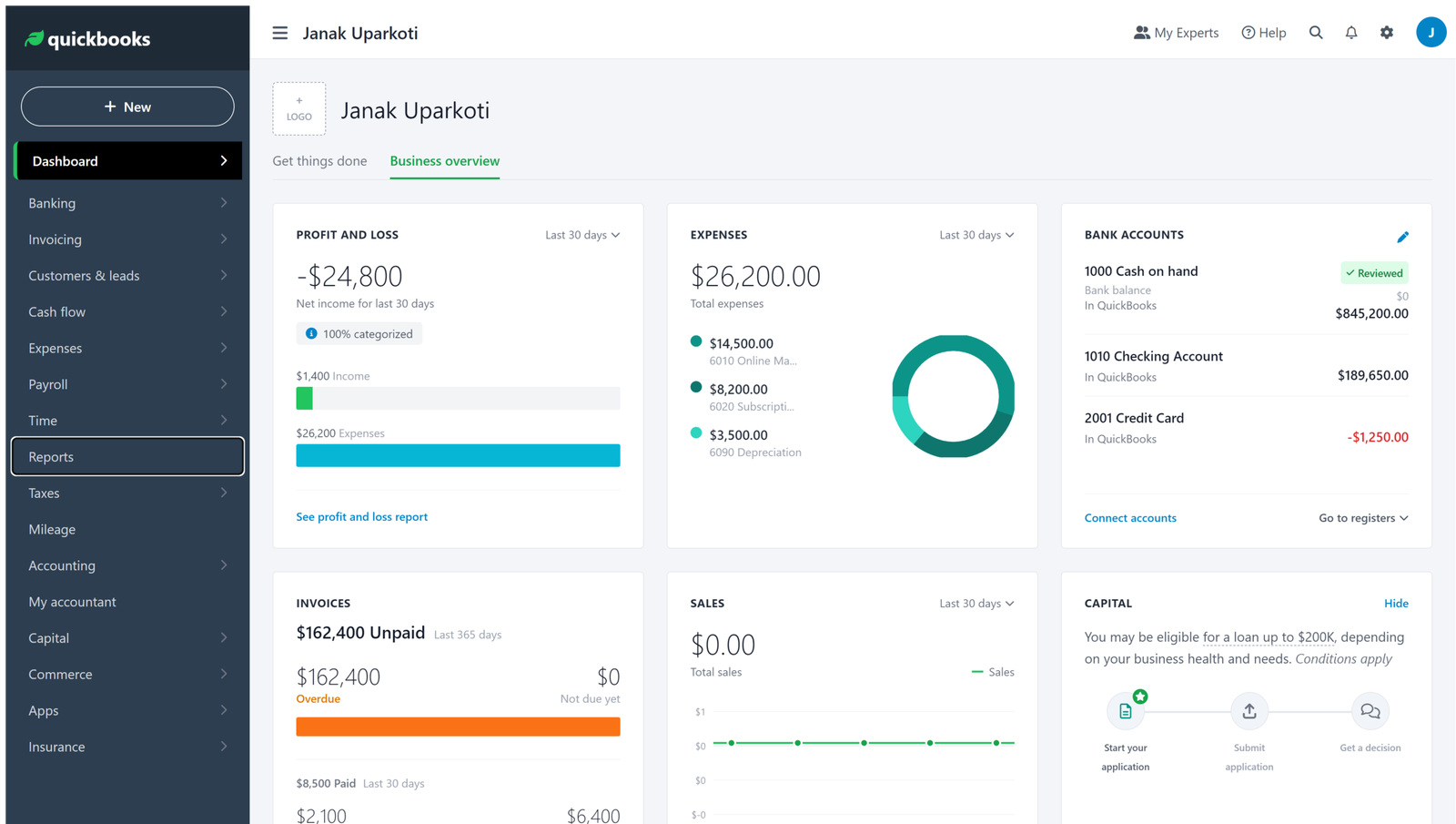
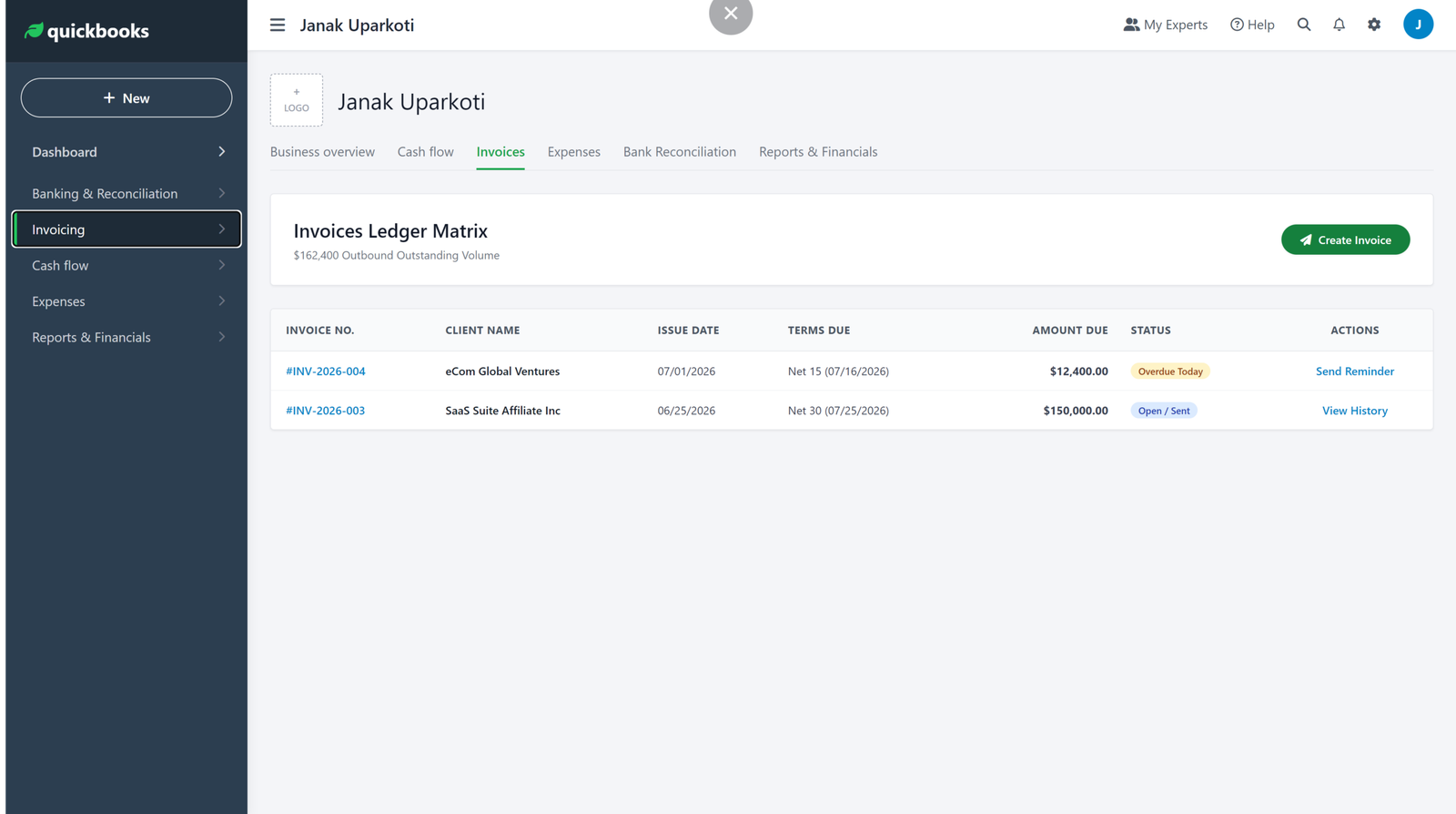
How this was tested: These screenshots are from my own QuickBooks Online trial account. Screenshots below are from those accounts, captured in August 2026.
QuickBooks for freelancers: the short answer
QuickBooks isn’t overkill for every freelancer, but it can be more software than a solo business needs.
If you have a few clients, no employees, no inventory, and fairly simple expenses, I’d compare QuickBooks with FreshBooks, Wave, and Zoho Books before paying for a bigger accounting platform.
On the other hand, if you expect to hire people, need more detailed accounting workflows, or already work with an accountant who uses QuickBooks, the extra capability can pay off.
What does a freelancer actually need?
Most freelancers don’t need an enormous accounting system. They need reliable basics.
- Professional invoices and payment tracking
- Business expense tracking
- Bank feeds and reconciliation
- Profit and loss reporting
- Easy access for an accountant or bookkeeper
- A clear record of money owed to and by the business
QuickBooks Online covers these core jobs. The real question is whether the extra features justify the subscription for your business.
QuickBooks pricing matters more when you’re solo
QuickBooks Online’s current US list pricing starts at $38 per month for Simple Start, with Essentials at $85, Plus at $140, and Advanced at $340 per month, all before promotional pricing. QuickBooks is currently advertising 50% off for three months on the pricing page, but introductory pricing shouldn’t be mistaken for the regular long-term cost.
Simple Start supports one user, Essentials supports three, and Plus supports five. Advanced goes up to 25 users. Accountant access is provided separately within those plan limits.
For a freelancer with modest revenue, that regular monthly cost deserves attention. You don’t want your accounting subscription becoming one of your biggest fixed costs before the business gets there.
Where QuickBooks makes sense for freelancers
You plan to grow
If your freelance work is really the first stage of an agency or consultancy, starting on a platform that can grow with you can save a migration later.
That’s not a reason to overbuy today. It is a reason to think about where you’ll be in 12–24 months.
Your accountant already uses QuickBooks
This is one of the most practical reasons to choose it. If the person responsible for your books already knows QuickBooks well, working together is easier.
Familiarity isn’t exciting, but it matters when you’re closing the books, fixing a reconciliation problem, or getting ready for tax time.
You want more than basic invoicing
QuickBooks goes beyond sending invoices. Its plans include accounting, bank feeds, reporting, and extra workflows as you move up the tiers.
Where I’d be careful
Don’t pay for features you aren’t using.

A freelancer who only needs five or ten invoices a month may get more value from a simpler product. Just because QuickBooks can handle a complicated business doesn’t mean your one-person business needs all of that.
Keep an eye on add-ons too. Payroll, payments, and other services can change the real monthly cost well beyond the headline subscription.
QuickBooks vs FreshBooks for freelancers
FreshBooks deserves a close look if your business revolves around client billing, projects, and billable work. Its current plans are structured around client numbers: Plus supports up to 50 clients, and Premium supports unlimited clients. FreshBooks also includes a 30-day trial.
I’d lean towards FreshBooks for a service freelancer who mainly needs excellent invoicing and client workflows. I’d lean towards QuickBooks when broader accounting capability or accountant familiarity matters more.
QuickBooks vs Wave
Wave is worth considering when keeping the monthly software cost as low as possible is the priority. But free or low-cost software only works if its limits fit your business.
Once you need more users, more advanced workflows, or services outside core bookkeeping, compare the total cost rather than just the subscription price.
QuickBooks vs Zoho Books
Zoho Books can be especially interesting for cost-conscious freelancers. In the US, Zoho currently lists a free edition for eligible businesses, followed by paid plans starting at $20 per organisation per month or $15 when billed annually.
That makes Zoho Books worth checking before you commit to QuickBooks, if your bookkeeping is simple and you’re comfortable with the Zoho ecosystem.
My recommendation
For most solo freelancers, I wouldn’t choose QuickBooks by default. I’d first compare the work you actually do each month with the cost and complexity of the software.
If your bookkeeping is straightforward, FreshBooks, Wave, or Zoho Books may be enough. If you’re building a bigger operation, need deeper accounting workflows, or already have a QuickBooks-based accountant, QuickBooks can be the better long-term fit.
Watch my related accounting software video
I also publish practical accounting-software comparisons and tutorials on YouTube. If you’re comparing QuickBooks with alternatives, start with my Xero vs QuickBooks comparison, then browse the channel for newer videos.
Watch Ahmed Raza’s accounting software videos on YouTube →
About the author
Ahmed Raza is an accountant and the founder/editor of EssenceVitae. He writes practical guides about accounting software, bookkeeping, ecommerce accounting, and business tools, with an emphasis on explaining what features actually mean for a small business.
Related reading: Best Accounting Software for Freelancers · Best Accounting Software for Freelancers · QuickBooks Resource Center
Official resource: QuickBooks official website
What I would do before signing up
Take the last month of business activity and write down the number of invoices, bank transactions, contractors, recurring expenses, and tax-related tasks you actually handled. Then compare that workload with the plan you’re considering.
That’s more useful than asking whether QuickBooks is powerful. Almost every established accounting platform is powerful. The better question is whether you’ll use that power.
Three mistakes freelancers make
- Choosing software because everyone else uses it. Your bookkeeping needs may be much simpler than another owner’s.
- Comparing promotional prices. Work out the regular cost before you decide.
- Ignoring the accountant workflow. If someone else will review your books, involve them early.
When QuickBooks becomes the better choice
The decision changes once the business stops being a simple solo operation. Employees, contractors, more complex reporting, payroll, and multiple workflows can justify moving to a broader accounting platform.



